
Get the latest BitBoxApp here: bitbox.swiss/download
The BitBox Cresta update is packed with new features and security improvements. We recommend all users to update the BitBoxApp and BitBox firmware.
Security first
Even though this release comes with several exciting new features, we want to start off with security improvements – because security comes first at BitBox. The Cresta update fixes several issues in the BitBox firmware and one in the BitBoxApp. We have seen no indication that any one of them have been exploited in the wild and heard no reports of stolen user funds. You can learn more technical details about them below.
These reports show our bug bounty program working as intended, and we’re grateful to the researchers who responsibly shared their findings with us. As frontier AI models become more capable at finding vulnerabilities, this ongoing collaboration helps us keep pace and turn new findings into security improvements for our users.
As with all security updates, we recommend all users to update to the latest version of the BitBoxApp and upgrade the firmware of their BitBox devices.
This release also contains a bootloader update, which means that you will see multiple progress bars while upgrading your device.
Firmware downgrade protection
During internal audits, we identified an issue in the bootloader, which controls firmware installation, that could weaken protection against downgrades (i.e. the installation of previous versions). A precisely timed power interruption while saving certain settings could reset the minimum accepted firmware version. An attacker with bootloader access and control of device power could then install older, compatible firmware, potentially reintroducing previously fixed vulnerabilities.
Entering bootloader mode requires unlocking the device and confirming on it, i.e. direct physical access. Downgraded firmware still needs to be signed by BitBox, but this way, previously fixed security issues could have been reintroduced, e.g. including a firmware verification bypass fixed in the Oeschinen update. The issue has now been fixed in the updated bootloader.
Transaction fee validation
During Bitcoin transaction signing, a malicious app could cause the BitBox to display a lower fee than the transaction would actually pay to miners. This was caused by incomplete validation of transaction data supplied by the app. Exploiting it required specially prepared wallet funds and repeated transaction approvals on the device. Preparing those funds also triggered a warning about multiple change outputs on the BitBox screen.
While the approved recipients and payment amounts remained unchanged, additional wallet funds could be consumed by the higher fee, enabling a potential ransom attack where broadcasting the high-fee transaction would be the attacker’s leverage. This release fixes the underlying validation issue. We thank timfin for their responsible disclosure.
Refund address verification for swaps
During device-verified swaps, the BitBox checked the swap deposit and the destination of the purchased coins, but did not verify that the refund address belonged to the user’s wallet. A compromised app could substitute an attacker-controlled refund address without a separate confirmation on the device.
If the provider later issued a refund using that address, the funds could be sent to the attacker. Successfully completed swaps to the verified destination were not affected by this issue. This release fixes the gap in refund verification. We thank Wranked1 for their responsible disclosure.
Multisig address paths
For registered multisig accounts, a malicious paired app was able to request a receive address outside the derivation paths that wallet software normally searches. The address could still match on both the app and the BitBox, allowing the user to verify it correctly. By withholding the path after funds arrived, the attacker could make those funds difficult (although not impossible) to locate and recover, potentially demanding a ransom for that information.
This release restores the missing restrictions on multisig address derivation paths. Miniscript policies were not affected by this issue. We thank Elodie Ng for responsibly reporting it.
Attestation warning banner
In the case of a failed authenticity check, the app displayed warning banners dependent on certain steps in the setup or unlock workflow. In theory, this would have allowed a counterfeit device to skip over certain steps to avoid the warning being shown prominently in the app.
The warning is now always shown independently of the device’s setup or pairing state as a global banner. The genuine check state in Manage device settings was not affected by this, and always displayed the correct state of the authenticity check.
German device language
You can now change the language of your BitBox firmware, starting with German as the first supported device translation. For those who feel less confident in the English language, this makes interaction and verification on-device much more seamless and natural.
The device language is a setting on your BitBox, which can be changed at any time by navigating to Settings > Manage device > Change device language, and confirming the change on the BitBox. During setup, the BitBox will automatically adapt to the language already selected in the BitBoxApp, if it is available for the BitBox as well.
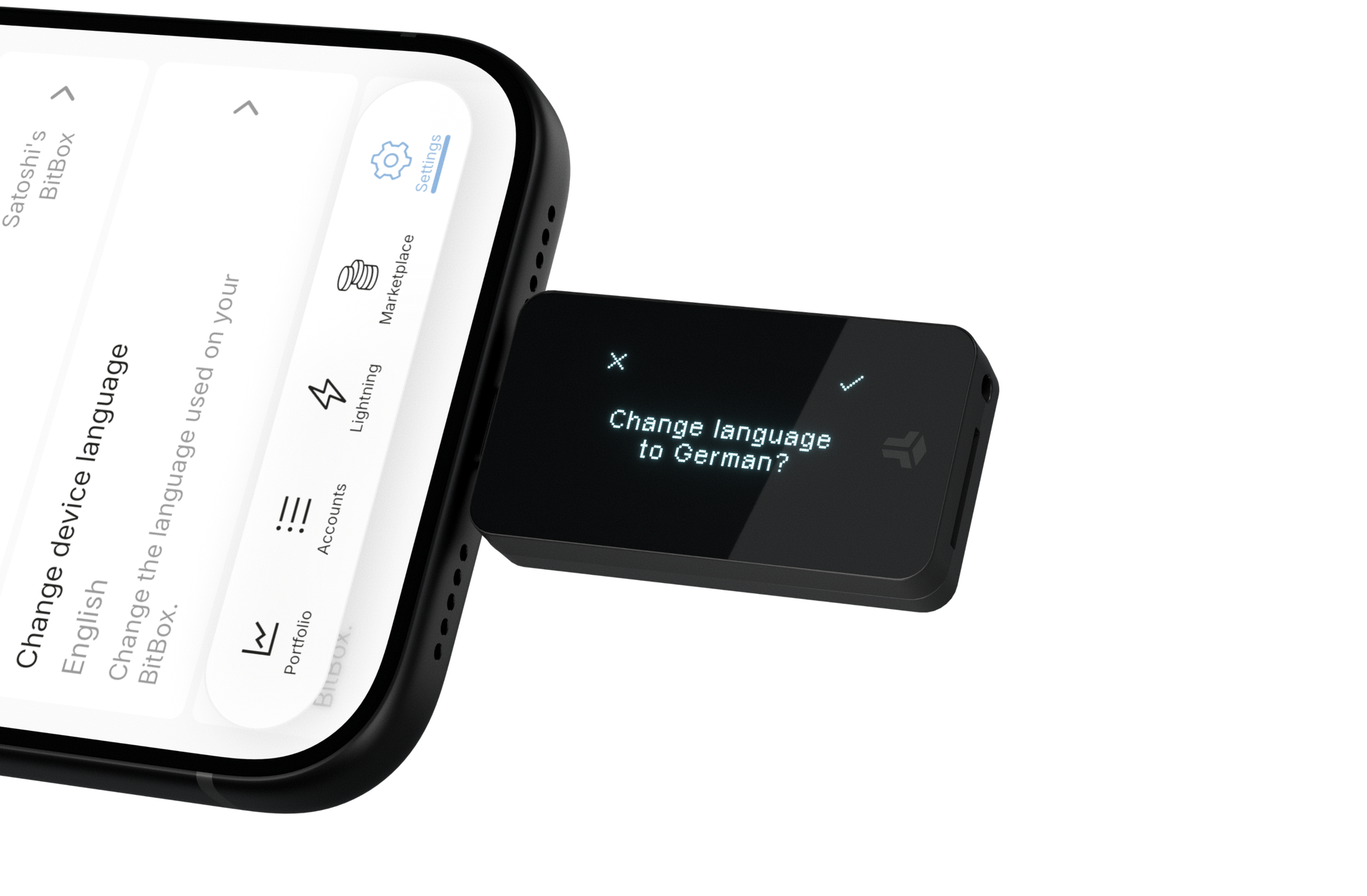
We are also working on Italian and Spanish device translations, which will be part of a future BitBox release.
Enter optional passphrases in the app
Many users of the optional passphrase have requested the option to enter it directly in the app, instead of on the BitBox itself.
This can have advantages, depending on your personal preferences. For instance, it is much easier to enter longer, more complex passphrases with a keyboard rather than on the BitBox itself, which can encourage the use of more secure passphrases. For those who store their optional passphrase digitally in a password manager, this also allows them to quickly copy and paste it.
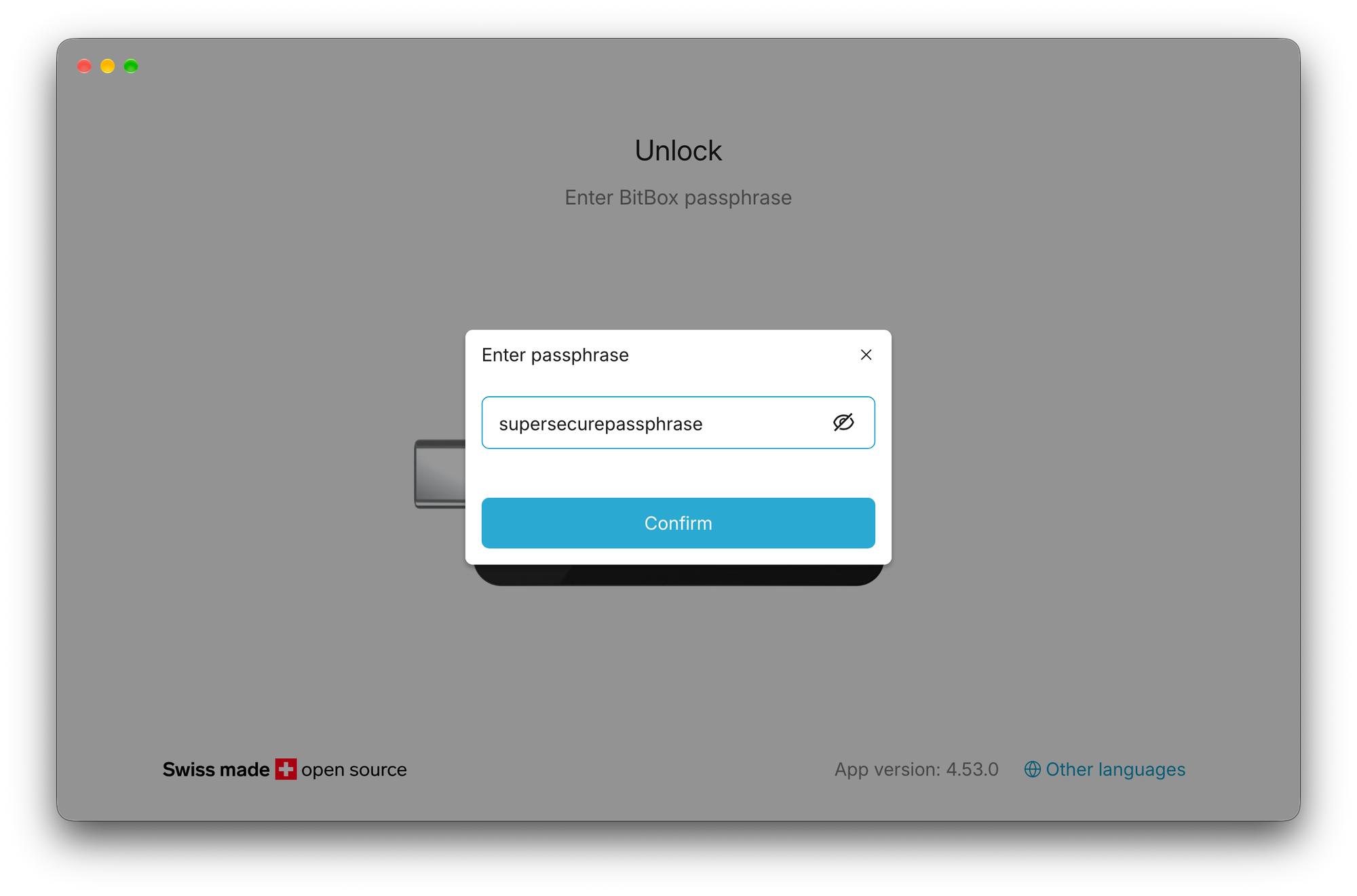
Of course, entering passphrases only on the BitBox is technically the more secure and private option, which is why it will remain the default, while entering on the host is entirely optional.
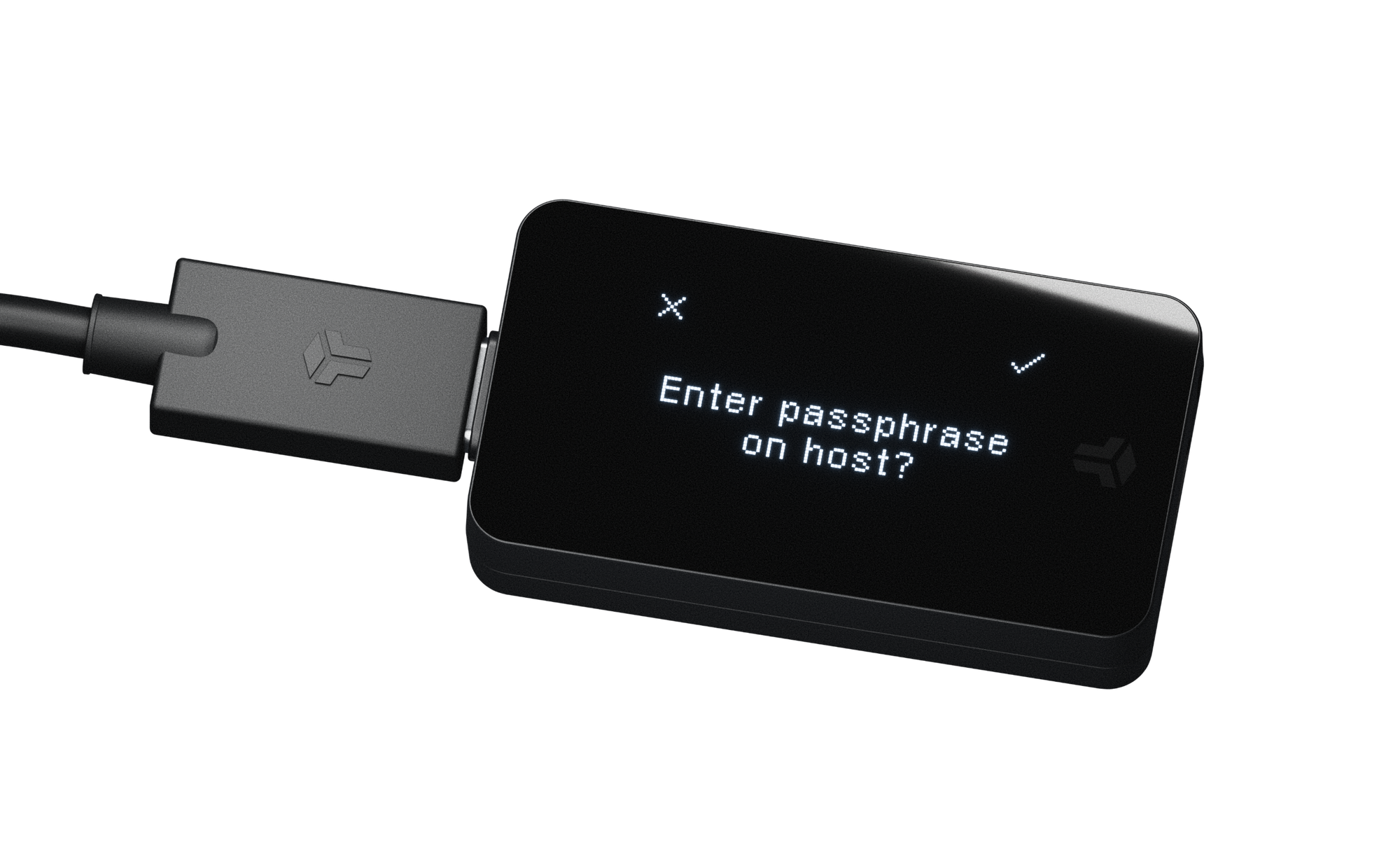
Once entered, the passphrase will also be shown on the BitBox display again for visual verification. This is to make sure the BitBox actually received the passphrase you entered on the host device – and to check if you made a typo.
Lightning improvements
With the last BitBox Meggen update, we introduced Lightning to the BitBoxApp. With your feedback, we continued to improve the Lightning integration and added several new features and improvements with this release.
Spend with Lightning
Last year, we added the ability to spend bitcoin to buy gift cards with Bitrefill. Now, you can also use your Lightning wallet to buy gift cards, all within the BitBoxApp.
Simply navigate to Marketplace > Spend and open Bitrefill with your Lightning account selected. Choose a gift card, check out and instantly pay with Lightning. Done. Your gift card is ready to be redeemed right away, without having to wait for confirmations on the Bitcoin blockchain.
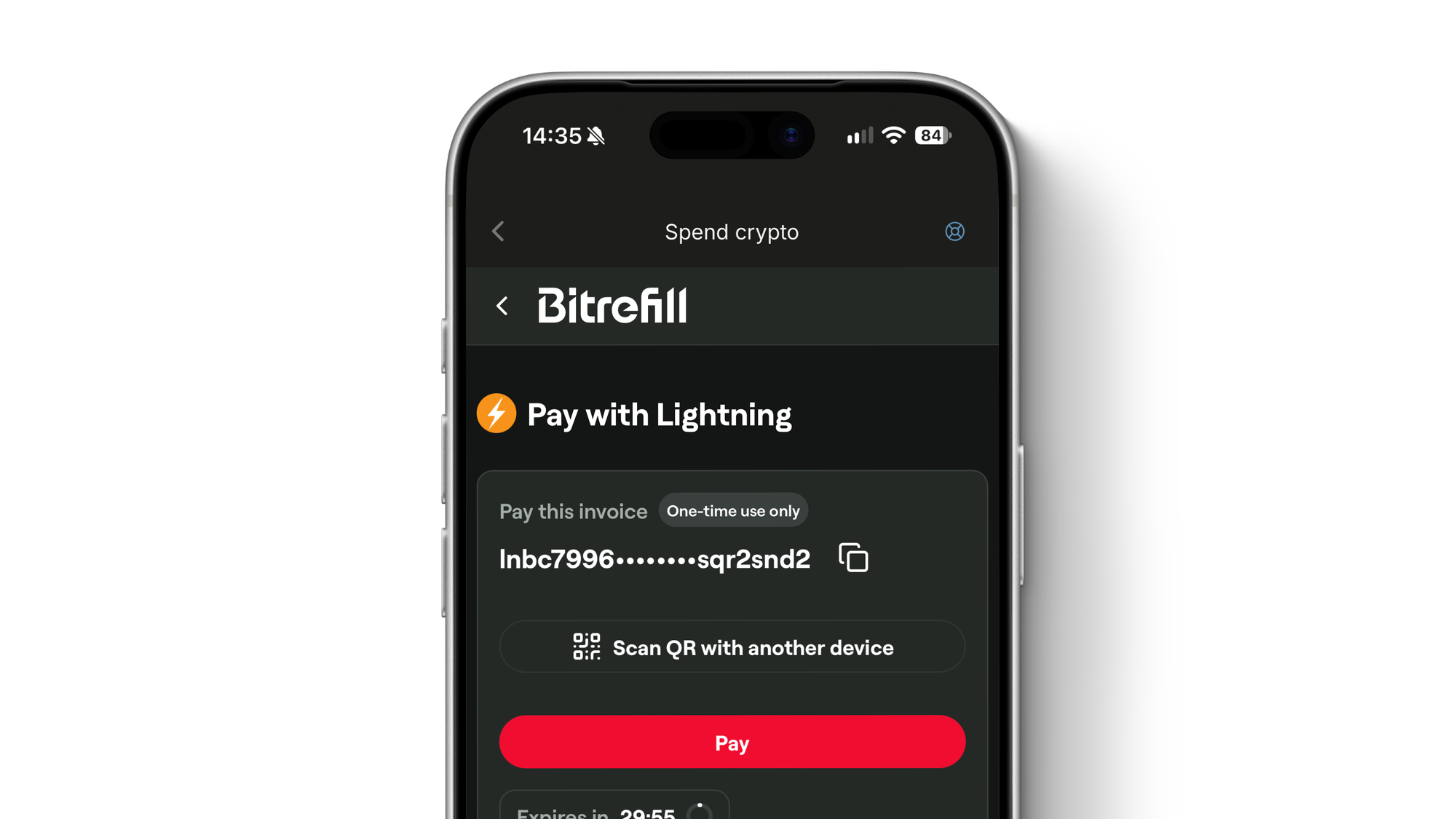
Try it out now, or the next time you are waiting in line at the supermarket – chances are high there is a gift card available on Bitrefill!
Lightning contact list
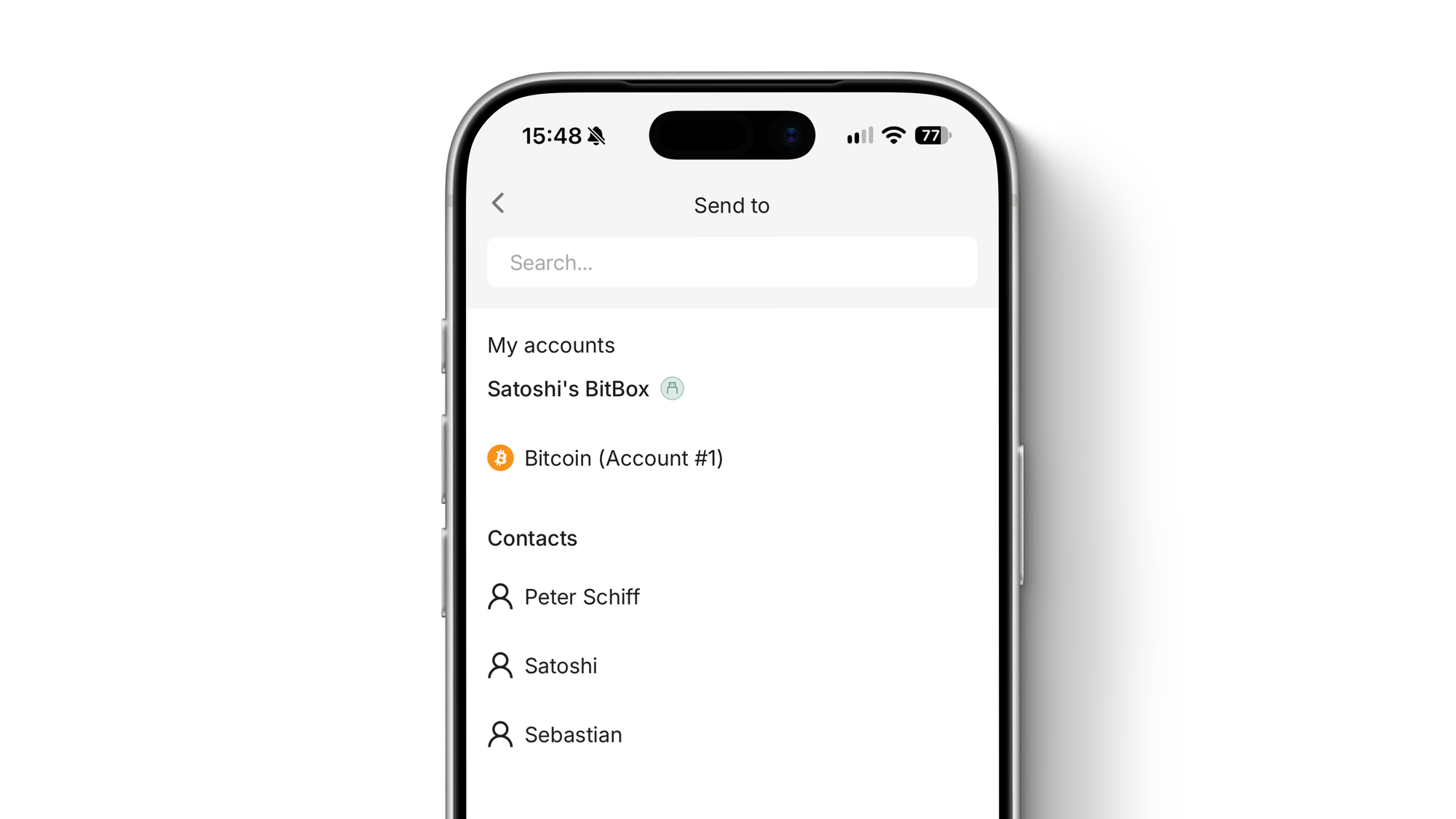
Are you regularly sending Lightning payments to the same people? You can now save them and their Lightning address as a contact in the BitBoxApp.
Head to the Lightning settings and choose Contacts. From there you can add new ones, give them a name and save their Lightning address. When preparing a payment, you can then select from your contacts in the drop down menu, instead of entering their Lightning address manually.
Lightning payment notes
As has been requested by several users, you can now add custom notes to Lightning payments in your payment history, independent of their existing invoice description.
This is helpful to add additional context to payments with generic or identical invoice descriptions. Note that these custom notes are not part of the actual Lightning invoice and are only stored locally in the BitBoxApp. To export or import them, the existing export/import feature for transaction notes can be used. The original invoice description can always be shown again in the payment details.
Transaction chart indicators
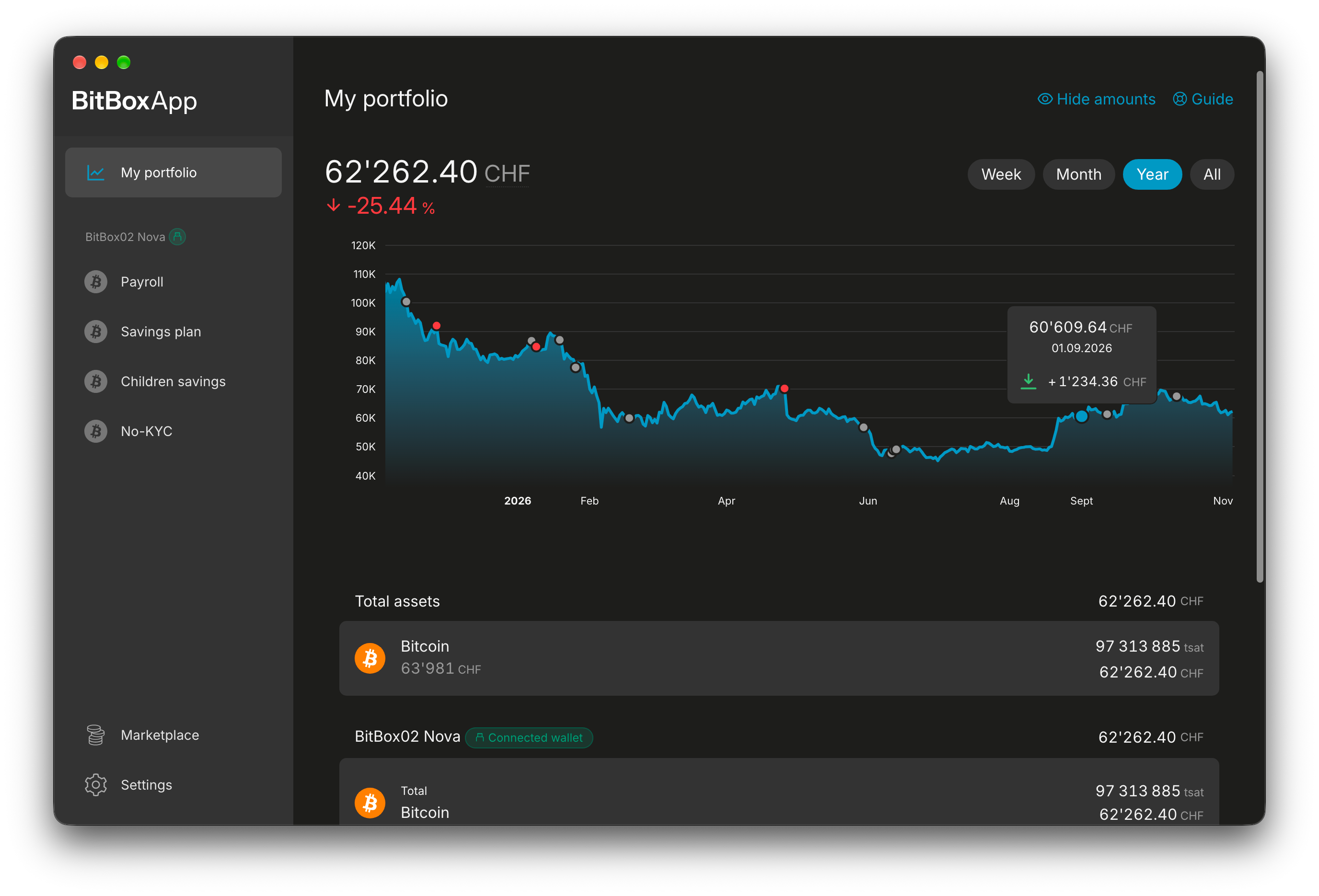
See a large jump in your portfolio chart but can’t remember what it was? The BitBoxApp now displays transaction indicators directly in the chart to add context to larger transactions and generally provide more information at a glance.
Transaction indicators are colored blue (for received transactions), red (for sent transactions) or gray (for a mix of received and sent transactions), and you can hover over them to see how large the incoming or outgoing amounts were.
Portfolio performance
By default, the BitBoxApp calculates percentage values in the portfolio overview by their absolute value over time. However, some users may prefer accounting for the actual fiat values at the time of each transaction instead of absolute values, giving an actual performance estimate.
Note that this value can be an estimate at most, since the BitBoxApp cannot know when and at what price you actually bought or sold your coins. For example, if you always withdraw coins to your BitBox right after purchasing them on an exchange, the performance estimate would be closer to the actual performance of your portfolio. However, if you wait longer between withdrawals, it will become increasingly inaccurate.
The portfolio percentage can be changed in the app settings, or simply by tapping on the percentage value.
Miscellaneous improvements
This release comes with several other improvements and bug fixes:
- Price widgets (introduced in the Geneva update for iOS) are now also available on Android.
- Added an option to export account balances at a chosen date to a PDF document for tax related purposes.
- Improved and added phishing warnings before displaying the recovery words on the BitBox. To prevent handing over recovery words in panic during an ongoing scam call, there is also now a 60 second time delay that cannot be skipped, before being able to proceed with showing the recovery words.
- “Factory reset” has been renamed to “Delete wallet from BitBox” in device settings.
- The app now displays a privacy splash screen while using the iOS app switcher to avoid potentially revealing sensitive information by accident.
- The app now follows system font size settings on iOS.
- Removed the native window bar on macOS for a more modern appearance.
- Updated the password input animations during setup and while unlocking the device.
- Fixed an issue with WalletConnect pairings on desktop.
- Ethereum and ERC20 transactions can now be sent from the same account while earlier transactions are still pending.
- Setting descriptions are now also shown on mobile.
- Setting items can now also be found by their descriptions when using setting search.
Photo of lake Cresta by Kevin Schmid
Don’t own a BitBox yet?
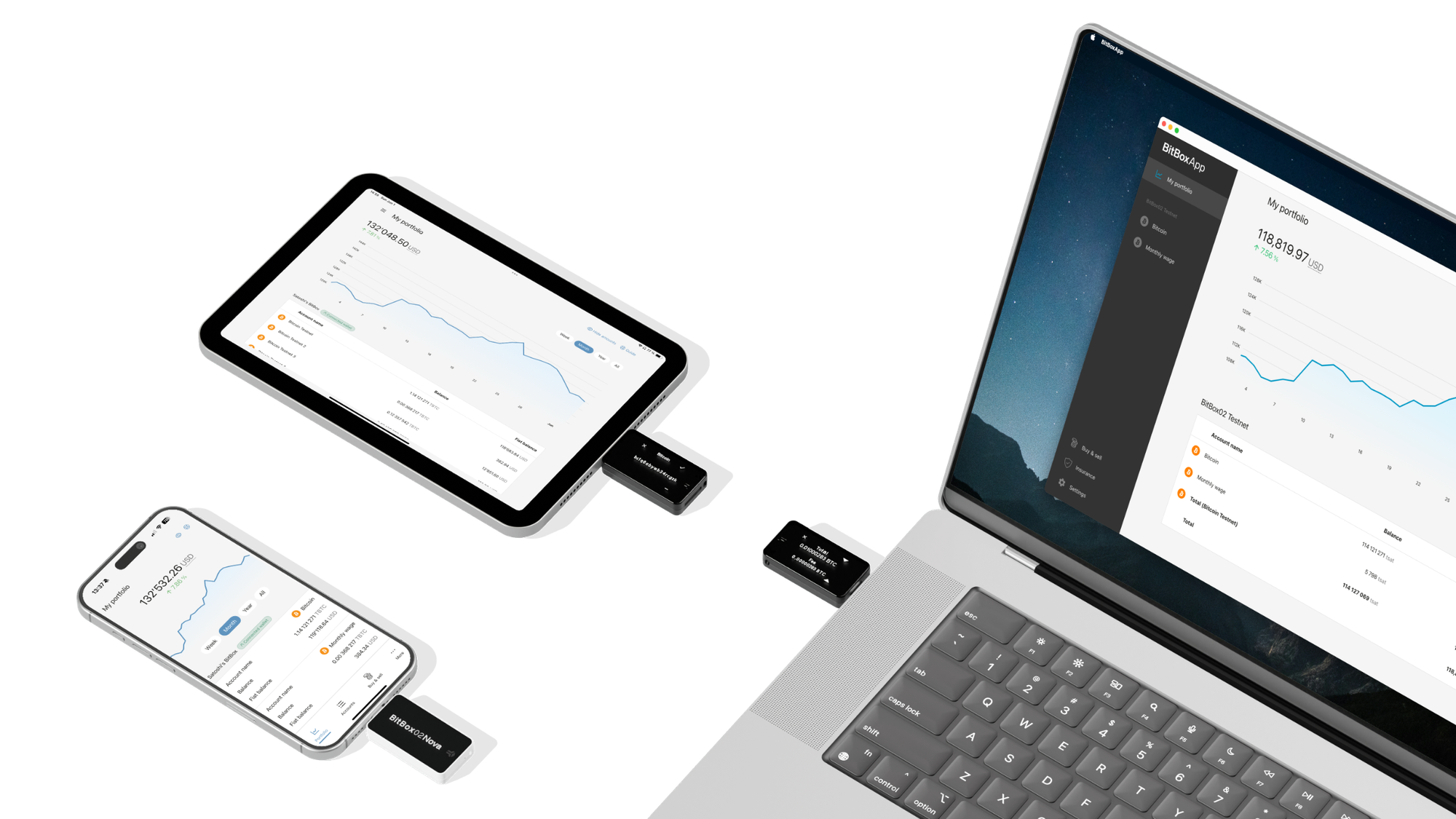
Keeping your crypto secure doesn't have to be hard. The BitBox hardware wallets store the private keys for your cryptocurrencies offline. So you can manage your coins safely.
Both the BitBox02 Nova and the BitBox02 also come in a Bitcoin-only edition, featuring a radically focused firmware: less code means less attack surface, which further improves your security when only storing bitcoin.
Buy the BitBox02 Nova or grab a BitBox02 in our shop!
Shift Crypto is a privately-held company based in Zurich, Switzerland. Our team of Bitcoin contributors, crypto experts, and security engineers builds products that enable customers to enjoy a stress-free journey from novice to mastery level of cryptocurrency management. The BitBox02, our second generation hardware wallet, lets users store, protect, and transact Bitcoin and other cryptocurrencies with ease — along with its software companion, the BitBoxApp!