
Get the latest BitBoxApp here: bitbox.swiss/download
This release is packed with new features, enhancements to the user interface, as well as other improvements and bug fixes.
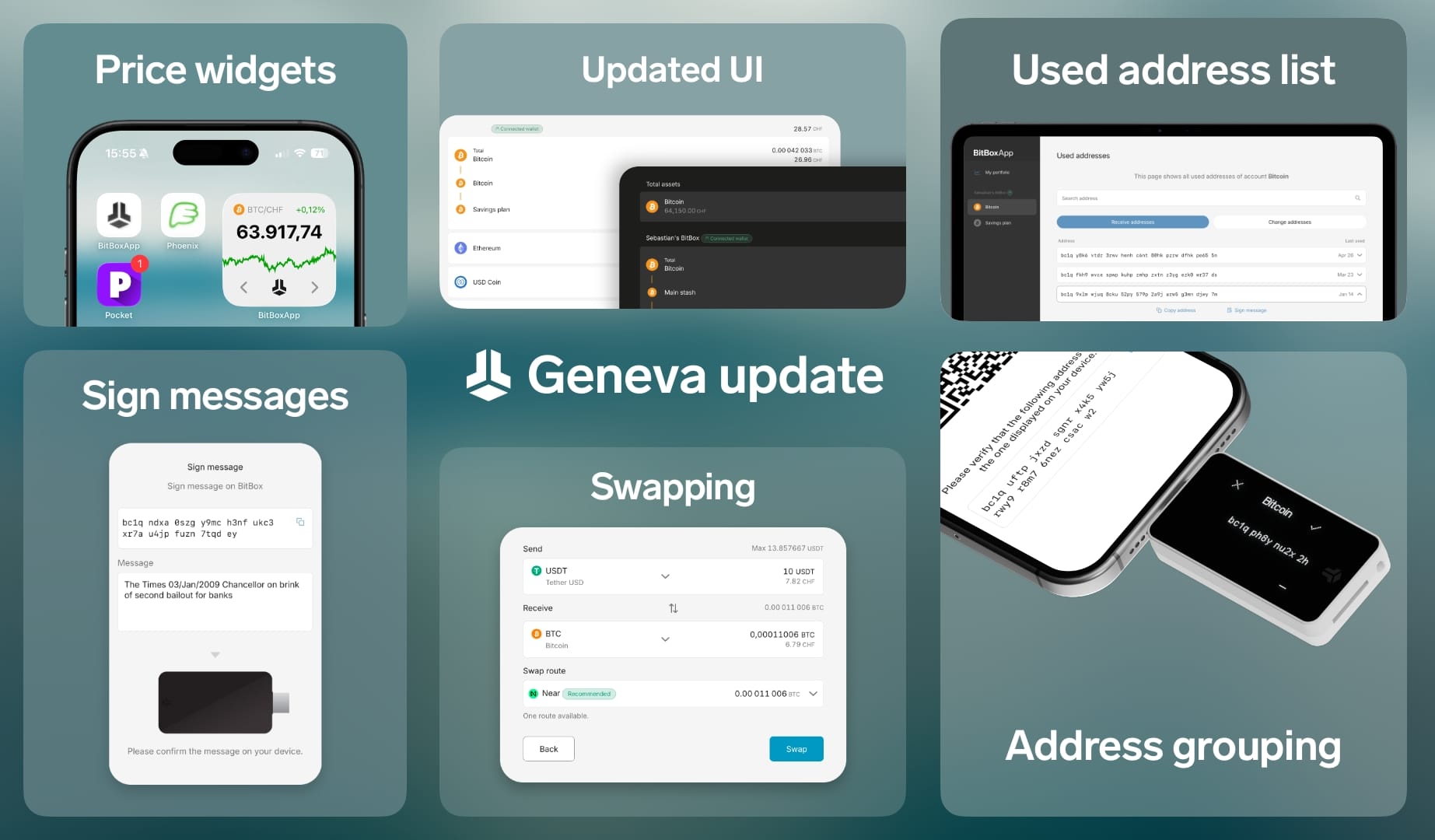
Let's take a look in more detail:
Secure decentralized swapping
You can now securely swap any cryptocurrency to another directly in the BitBoxApp, without any limits, without KYC verification and of course, without handing over control over your coins. This swapping service is enabled by using SwapKit, an aggregator for decentralized and non-custodial swapping services.
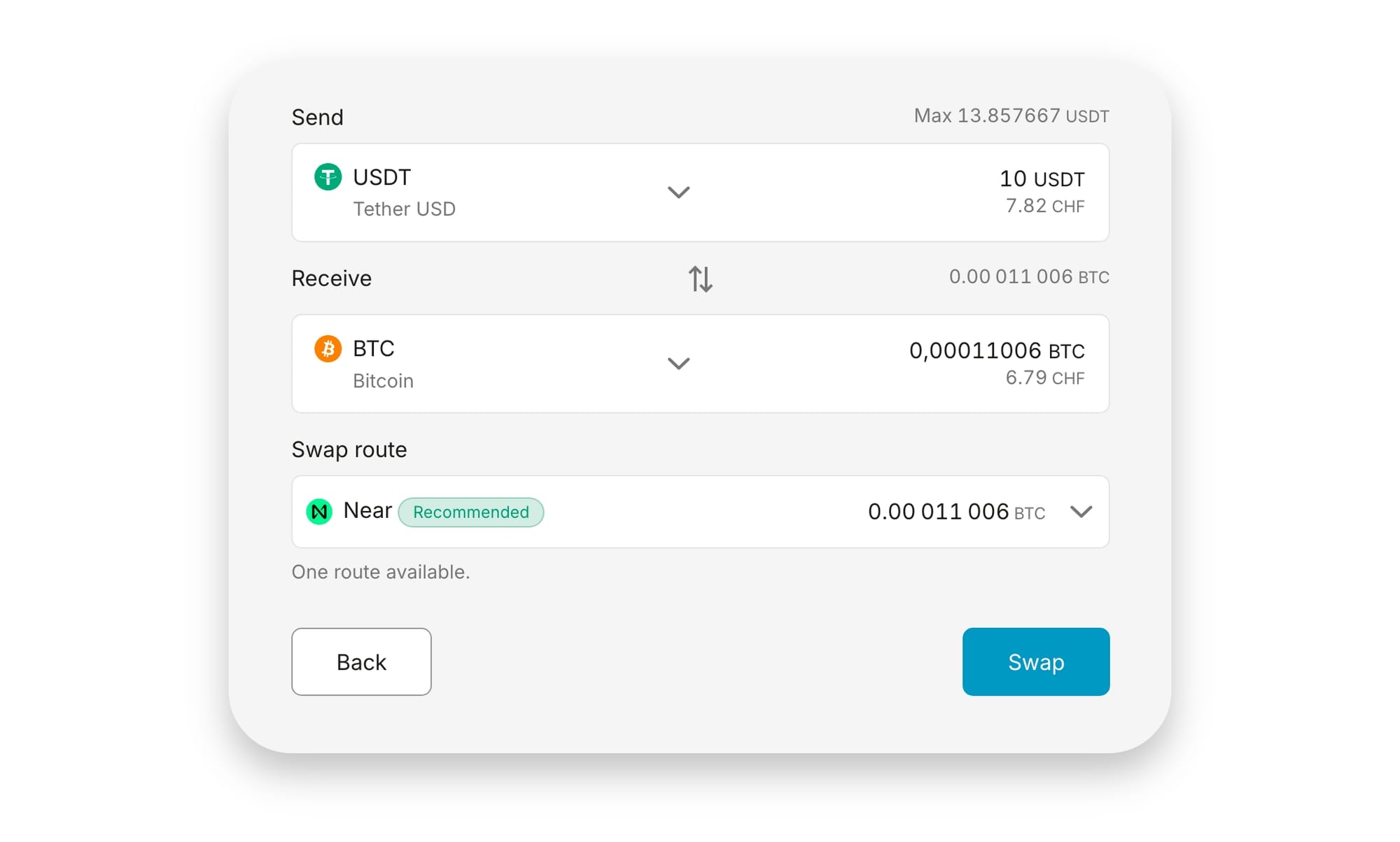
To swap coins, simply head to the Marketplace section and select the new Swap tab. From there, choose the coins you want to swap and enter an amount to send. The BitBoxApp will find the best swap route available automatically and display an estimated receive amount.
For example, you could now receive 10 USD in stablecoins from a friend (e.g. Tether USDT) and swap it straight to Bitcoin right inside the BitBoxApp. Simple, quick and secure.
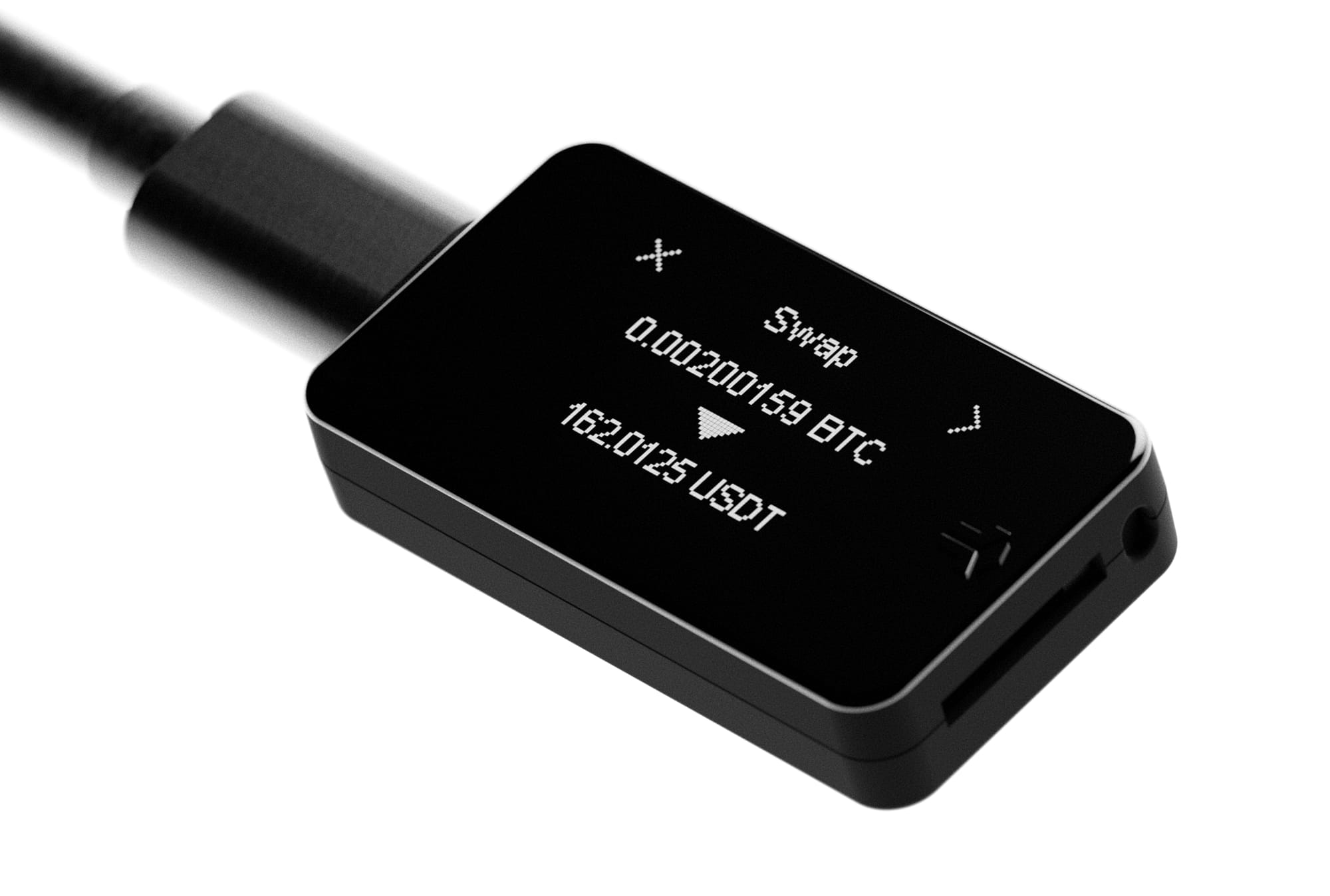
As you would expect, swaps must be reviewed and confirmed directly on the BitBox, just like with any other transaction. Similar to how we implemented secure selling in the BitBoxApp, the new swap feature also makes use of payment requests, which enables the BitBox to cryptographically verify a swap request is authentic and display it to the user.
Sign messages
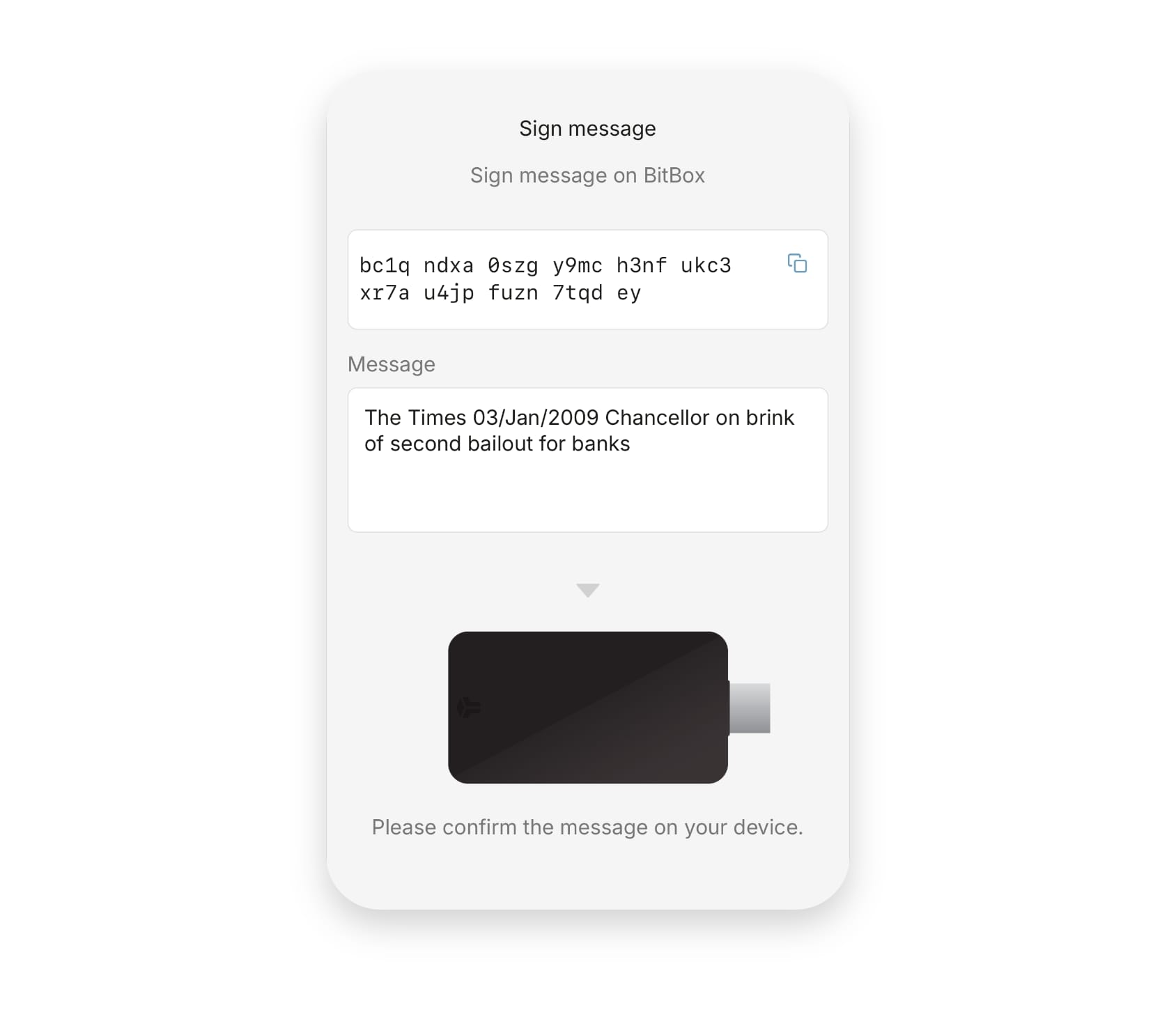
To make address verification with brokers and exchanges easier, you can now sign messages directly in the BitBoxApp. Apart from signing little messages just for fun, this allows you to prove ownership of the private key of an address, without having to create an actual Bitcoin transaction or installing third-party software. This is mainly useful to verify deposit or withdrawal addresses with brokers and exchanges.
Signing a message is simple: Click on Account information, select Sign message and enter the message you want to sign. Click Sign on device and confirm on your BitBox. The signature will appear in the BitBoxApp, ready to be copied and shared.
Price widget
Want to check the Bitcoin price at a glance without having to open an app? The BitBoxApp now comes with a price widget for iPhone and iPad, showing the current exchange rate and its chart over the last 24 hours.
The widget automatically updates depending on the default currency and active accounts in your BitBoxApp. For example, if you have a Bitcoin and Ethereum account enabled and your default currency is set to Euro, the price will be displayed in EUR and you can cycle between the Bitcoin and Ether chart using the arrow buttons.
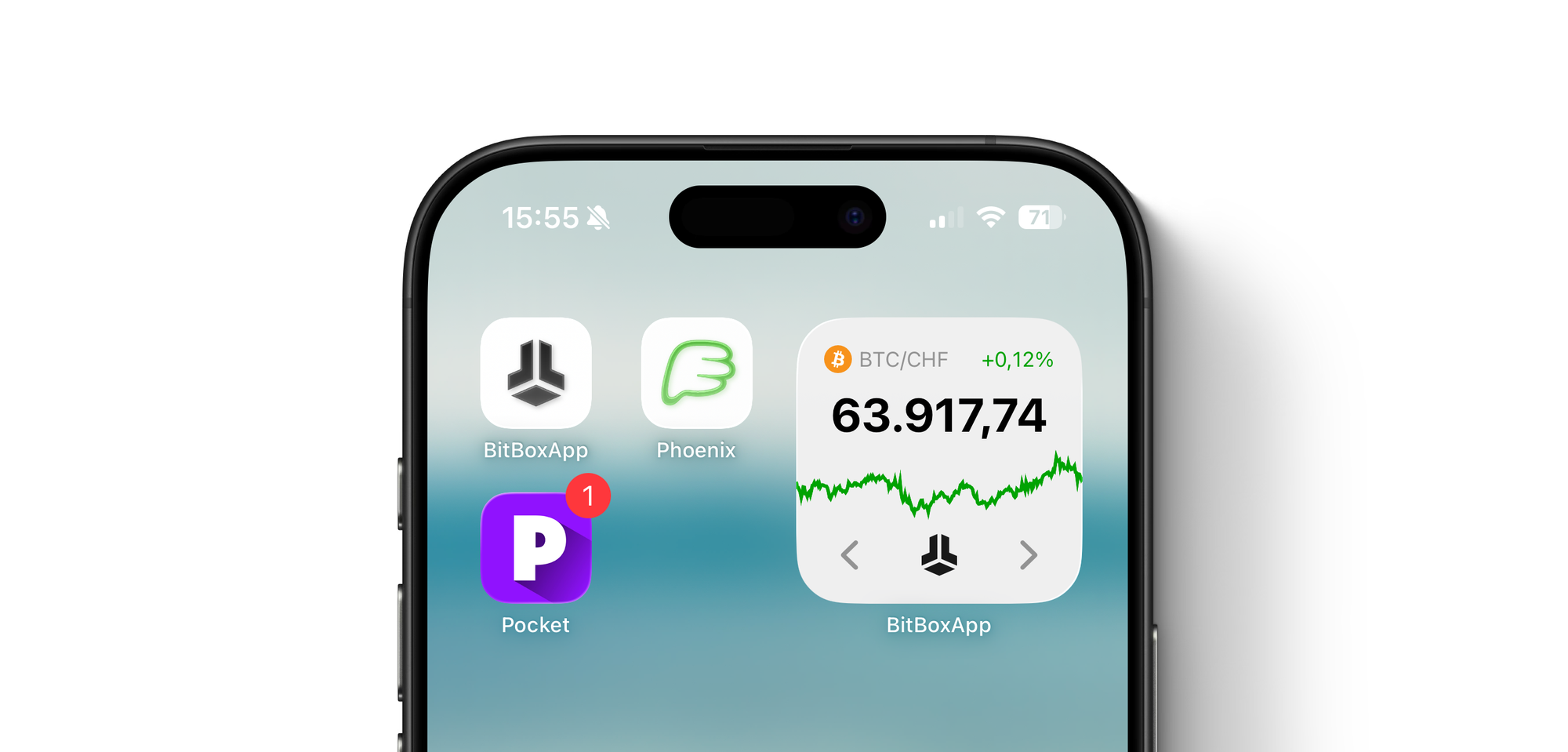
To enable the new widget, simply long-press on the BitBoxApp icon and select the square widget tile. Alternatively, you can always find it in the widget drawer of your iPhone or iPad.
We’re working on bringing widgets to Android users in an upcoming release as well.
Address grouping
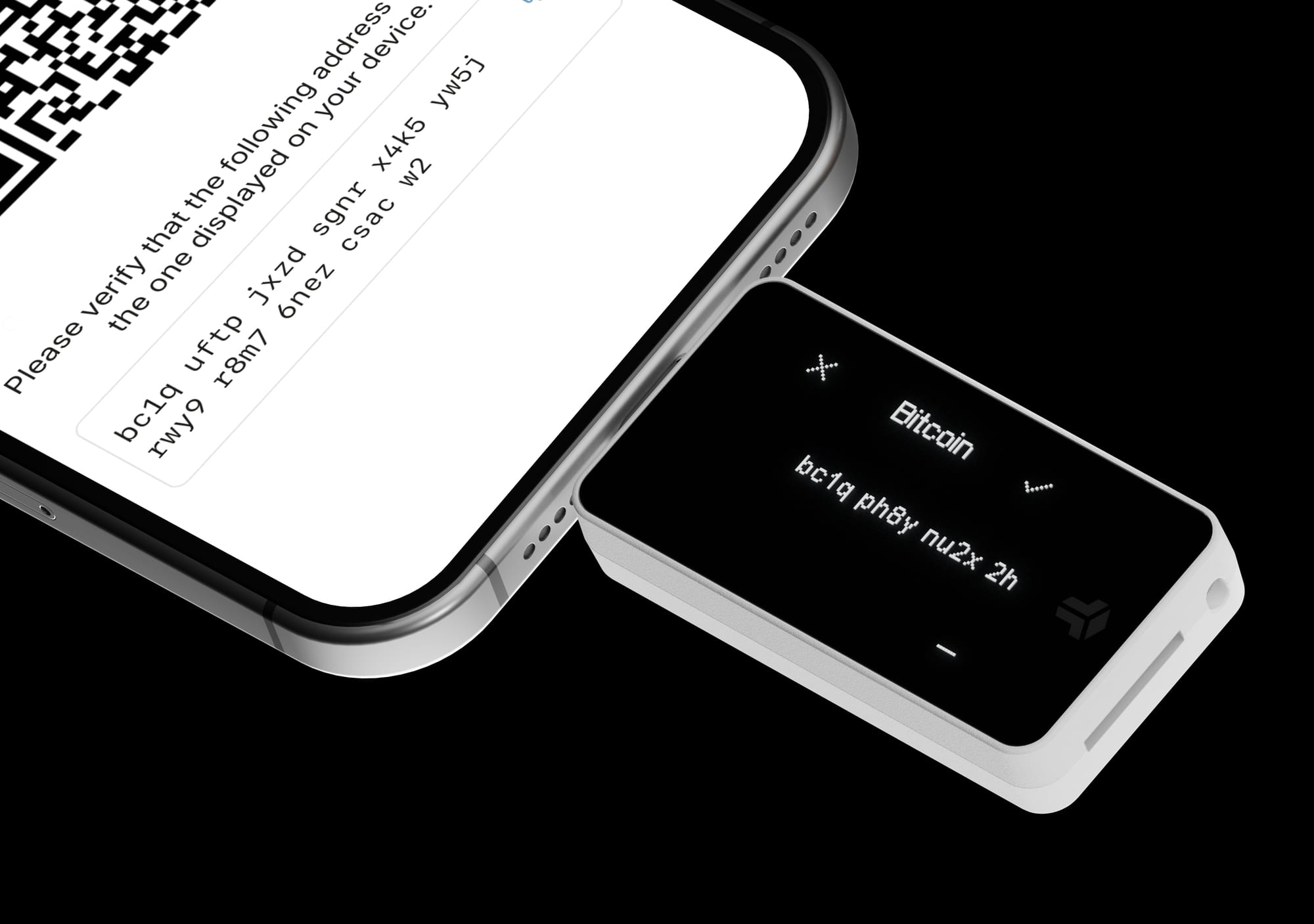
To improve legibility while verifying a receive address, both the BitBoxApp and BitBox firmware now group addresses into distinguishable chunks of up to four characters. Now, when you switch between looking at the BitBoxApp and the display of your BitBox, it is much easier to quickly refocus on the correct part of the address you want to check.
Enhanced account information
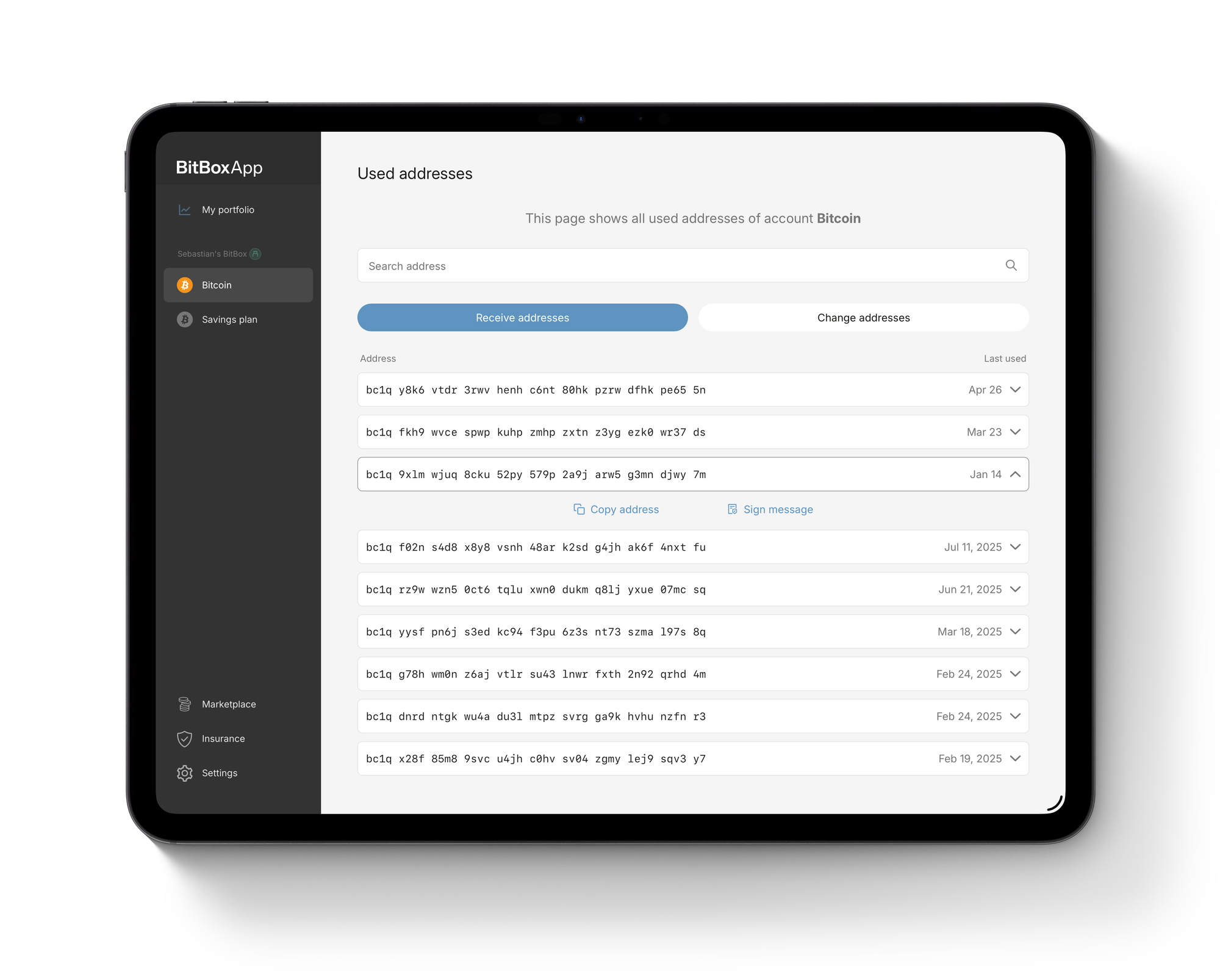
The account information section has been restructured, providing direct access to the transaction history export, account details and the new ability to sign messages, as well as a new overview of previously used addresses.
Used addresses
In case you need to sign a message with a specific address you have used in the past, you can do so by navigating to View used addresses in the previous account information section. This new section also enables you to display and verify them on your BitBox again
Wallet descriptors
For expert users, who want to export their account information in a standardized format, the BitBoxApp now also displays descriptors for each account. Descriptors are essentially an improved and more capable variant of extended public keys (xpubs), by explicitly including information about the script type or derivation path used.
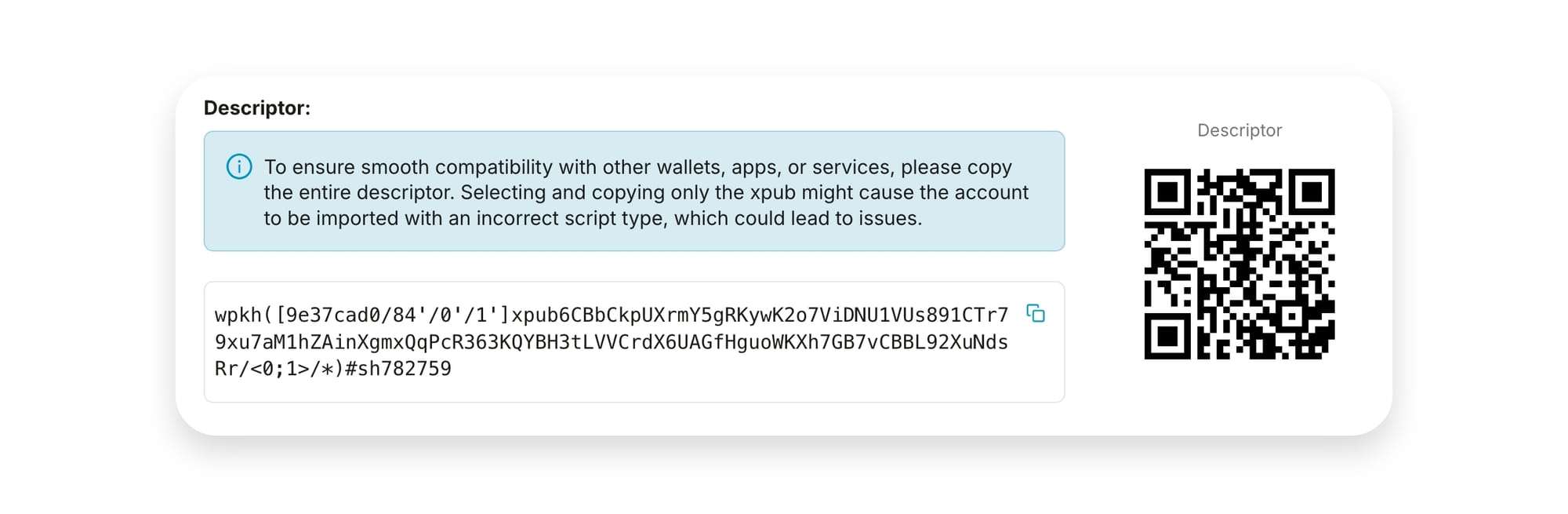
This is especially useful for Taproot accounts (e.g. if you want to set up a watch-only wallet on another device), as importing the raw extended public key would otherwise quickly lead to compatibility issues.
User interface improvements
We have tweaked numerous small elements in the user interface, especially on mobile. This includes more rounded corners, a new typeface on all platforms and a restructured Marketplace section. You might not notice all changes individually, but together, they aim towards a cleaner and more modern looking experience.
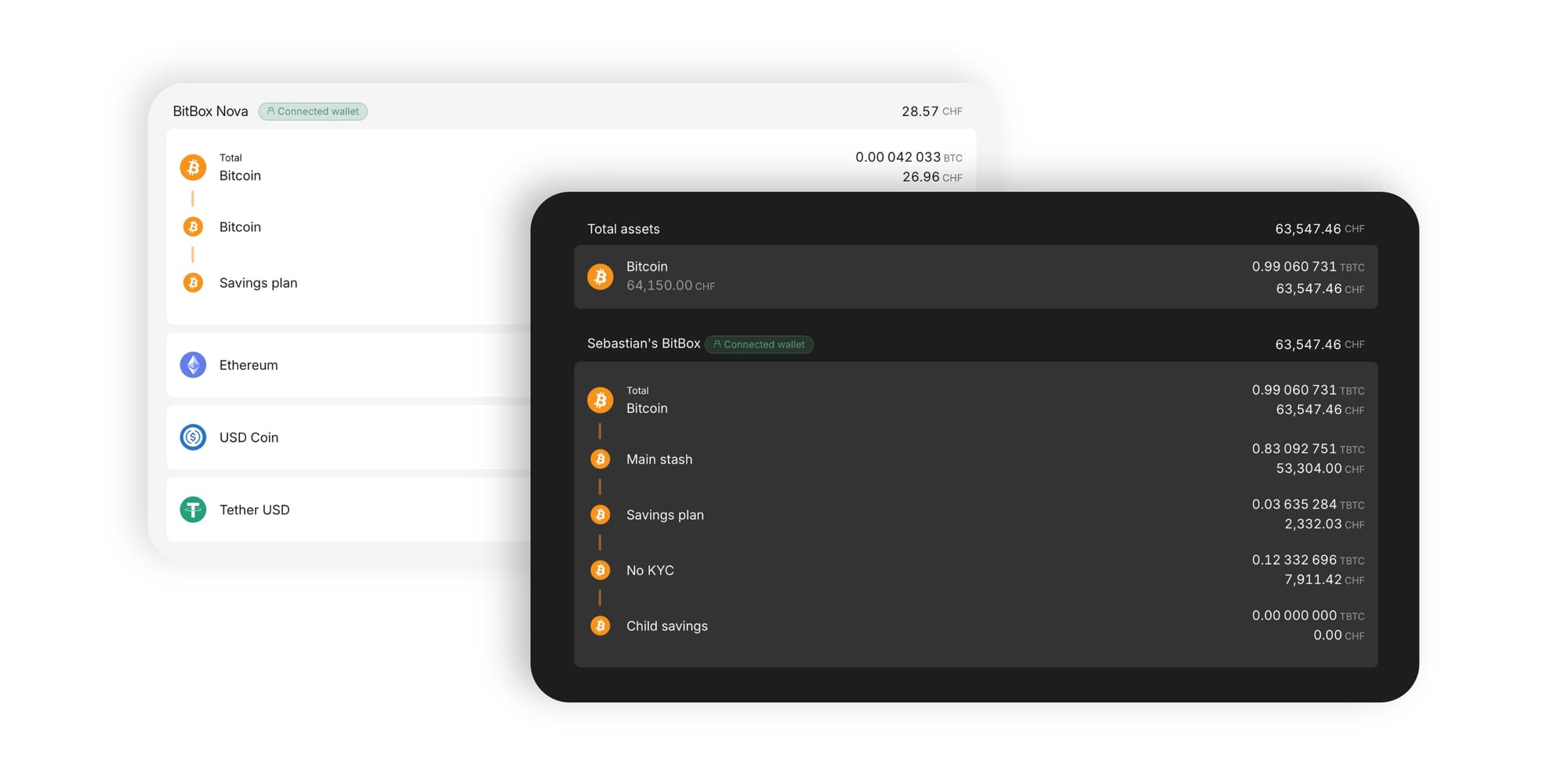
One of the more notable improvements is an update to the portfolio overview, which now groups active coins and accounts in a much more organized way and allows for quick access to certain accounts by tapping on them! By popular request, this section now also includes the current exchange rate for each active coin.
Miscellaneous improvements
This release also comes with other smaller improvements and bug fixes:
- Tapping the back arrow during character selection on the BitBox will now switch back to the previous character selection step instead of reverting back to the full keyboard. Many thanks to external contributor alessandro-opensource for implementing this improvement!
- Wallets are now ordered by name in the sidebar (and by their root fingerprint in case the names match).
- Swiping to navigate back has been enabled on iOS, and overall improved on both iOS and Android to only work in situations where back-navigation makes sense.
- Haptic feedback has been added to the iOS app in various places, including chart scrolling, toggling settings and copying addresses.
- Private trading (OTC) options are now grouped in a new OTC section in the Marketplace, featuring BTC Direct and now also Pocket Private.
- Currencies can now be quickly rotated in the Send menu.
- Large streamed payloads have been enabled for WalletConnect.
- Removed the option to receive to Wrapped Segwit addresses to avoid accidental usage of an increasingly outdated standard. Wrapped Segwit accounts will continue to work without issues and users can still receive to Wrapped Segwit addresses through third-party wallet software.
For more technical details, see the changelog on GitHub.
How can I stay up-to-date?
We encourage you to sign up to the BitBox news to stay up to date with our latest news, including release notes and bug fixes.
Thank you for being part of the BitBox family!
Don’t own a BitBox yet?
Keeping your crypto secure doesn't have to be hard. The BitBox hardware wallets store the private keys for your cryptocurrencies offline. So you can manage your coins safely.
Both the BitBox02 Nova and the BitBox02 also come in a Bitcoin-only edition, featuring a radically focused firmware: less code means less attack surface, which further improves your security when only storing bitcoin.
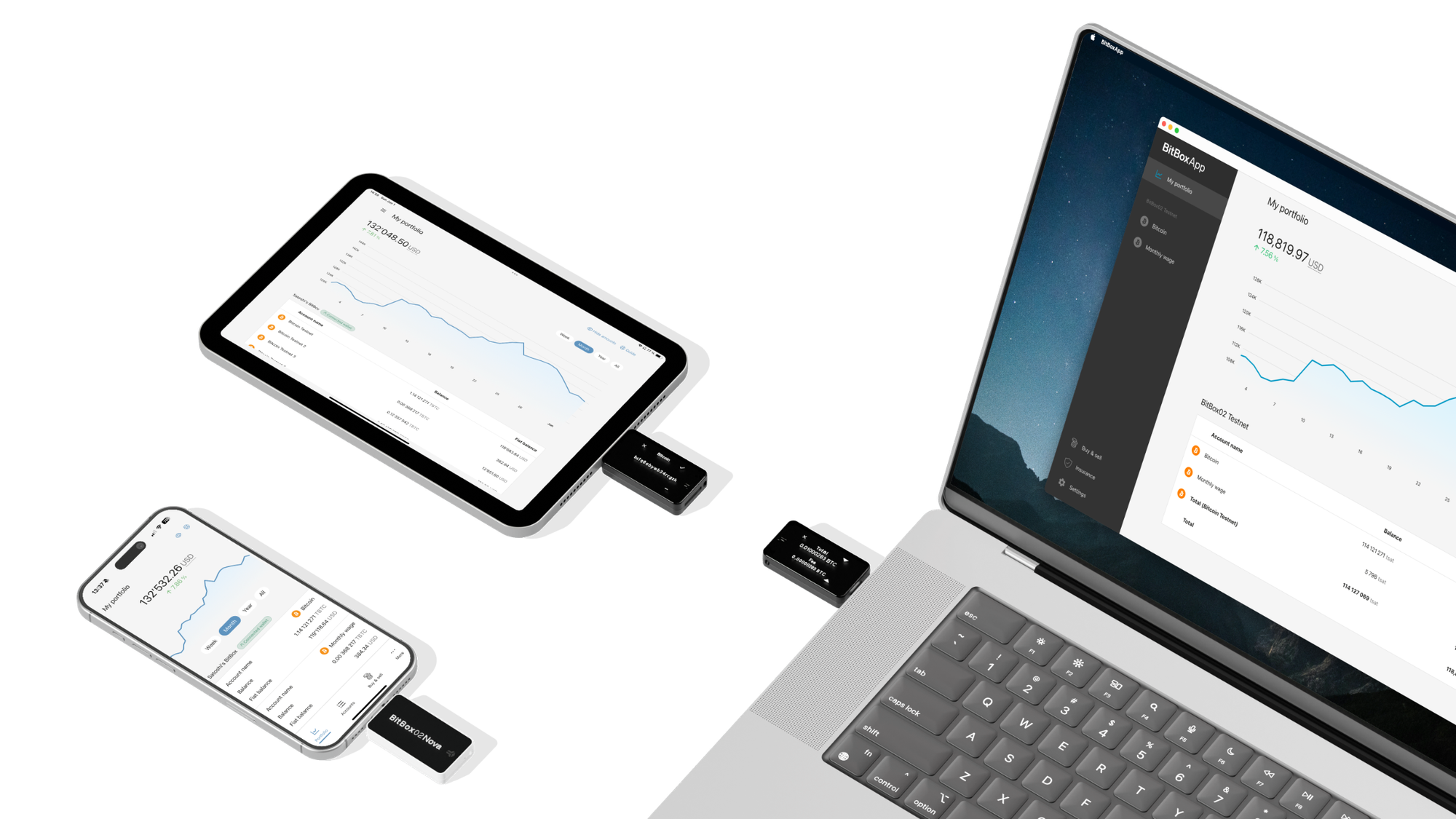
Image credit: @victor_g