
A hardware wallet passes its authenticity check. Its firmware is genuine. Its owner follows the normal setup process. Could someone still steal its recovery words? Recent examinations of modified Ledger devices showed how attackers added electronics that captured recovery words from information sent to the display. The original wallet continued operating, while the additional hardware transmitted the captured information over a cellular connection. The attack did not depend on a fake app or persuading the owner to enter recovery words on a website.
This illustrates an important distinction: recognizing genuine electronics and establishing that nothing has been added around them are different tasks.
In our previous article about supply-chain attacks, we explained how the BitBoxApp recognizes a genuine BitBox. Here, we will look at the safeguards surrounding that check.
For an attacker, a working implant is only part of the challenge. They also need access to devices, a way to modify them without disabling them, and a route for those devices to reach unsuspecting users.
Our goal as a hardware wallet company is to make those steps more difficult, not just for one device, but when attempting to repeat the attack across many.
What happened?
Two weeks ago, multiple owners of Ledger hardware wallets in Asia found that transactions were sent from their wallets and their balances had been emptied. Researchers found that implants had been soldered to the affected devices, which read out the screen contents and sent the users seed phrase out via a cellular modem soldered to the implant.
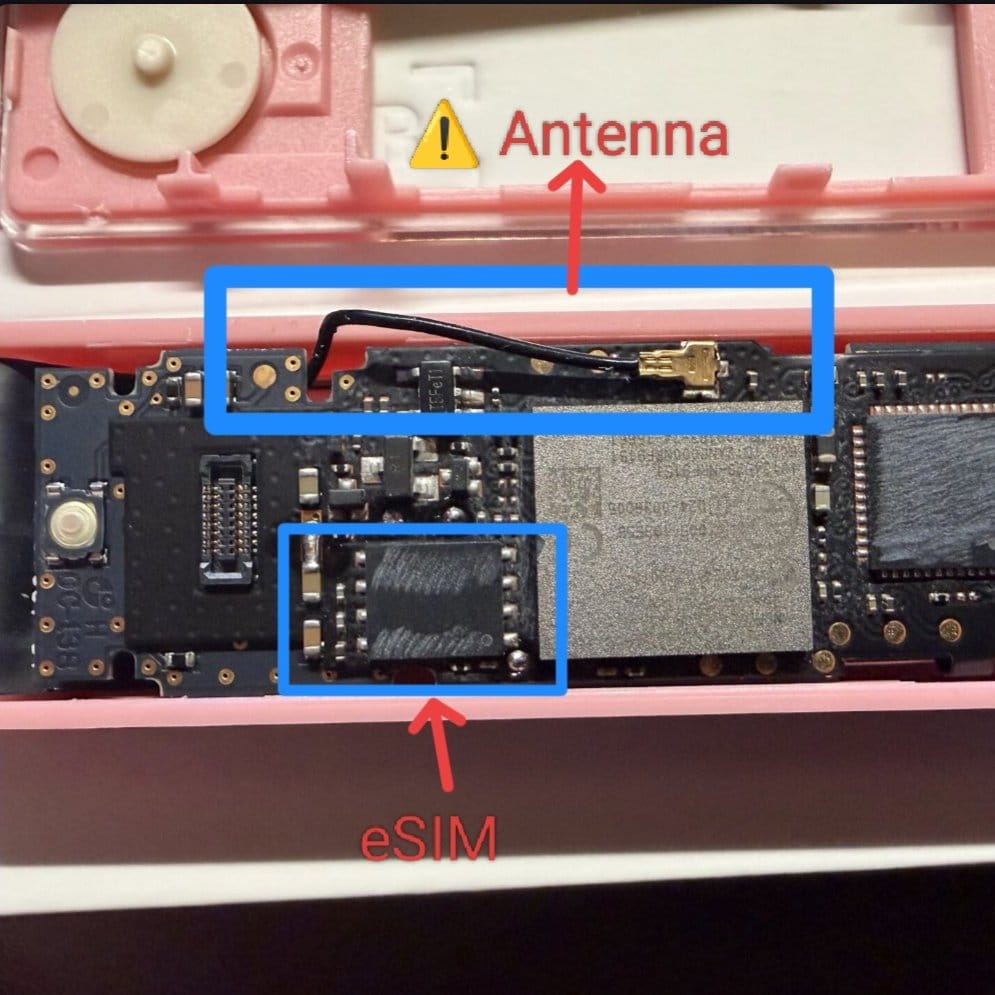
It currently appears that a single reseller of Ledger hardware wallets in Asia was able to have these implants manufactured and attach them to the devices they later sold to customers and other shops.
Security starts during production
BitBox hardware wallets are manufactured in Switzerland. During factory setup, we configure the device’s security protections and lock down capabilities that should no longer be available in the finished product.
Among these steps, we disable the microcontroller’s debugging interfaces and configure the secure chip. Debugging interfaces help engineers develop and test a product, but leaving them accessible would give an attacker additional ways to interact with the finished device. Manufacturing a security device means deciding which capabilities it needs during development, which it needs during normal operation, and which must no longer be available when it reaches a customer.
The route to the customer matters
Ordering directly from the manufacturer can significantly reduce the risk of receiving a physically modified device. Buying through our official shop avoids an additional reseller’s storage, inventory, and return-handling processes. This means fewer opportunities for someone to gain access to devices or introduce modified products before they reach you.
For an attacker, modifying a wallet is only half the challenge. They also need someone to receive and use it. Access to a reseller’s inventory can provide a way to distribute multiple modified devices through otherwise ordinary purchases, rather than having to intercept individual deliveries. Ordering directly removes that additional point of access and distribution, making attacks that depend on it harder to carry out at scale.
Returns are particularly relevant here. A device that looks unused may still have been opened and modified. If an attacker can return it and have it placed back into saleable stock, the next customer might receive it as a new product. This is why return-handling procedures matter: an apparently unopened package is not a substitute for knowing how the device has been handled. Buying directly avoids having to rely on an additional retailer’s procedures.
Orders from our shop also use neutral outer packaging and sender information. This avoids unnecessarily advertising that a parcel contains a hardware wallet, making it less obvious which shipments might be worth targeting.
Direct ordering does not eliminate every risk, since fulfillment and delivery still involve other parties. But removing additional retail intermediaries is a meaningful reduction in opportunities for interference. Customers who prefer purchasing elsewhere should use our reseller directory to identify our official sales partners. Regardless of the purchasing channel, inspect the packaging and follow the first-use checks described below.
Making physical interference harder
We have acknowledged the risk of using physically modified devices in our published threat model for years. Supply-chain attacks cannot be ruled out completely, but that does not make physical safeguards irrelevant. Simple measures are taken to drive up the effort and cost needed to carry out an attack, without compromising the usability of the product. When grouped together, these measures reduce the feasibility to perform such attacks at scale and economically
An attacker needs more than access to the electronics. The modified wallet must still function, fit inside its enclosure, and reach its recipient without raising suspicion. Our packaging and construction introduce obstacles at different stages of that process.
A printed, vacuum-sealed bag
The BitBox is packaged in a clear, vacuum-sealed bag with a unique gray pattern running continuously around all four sealed edges. The printing and sealed seams provide recognizable features that recipients can compare with our packaging guide.
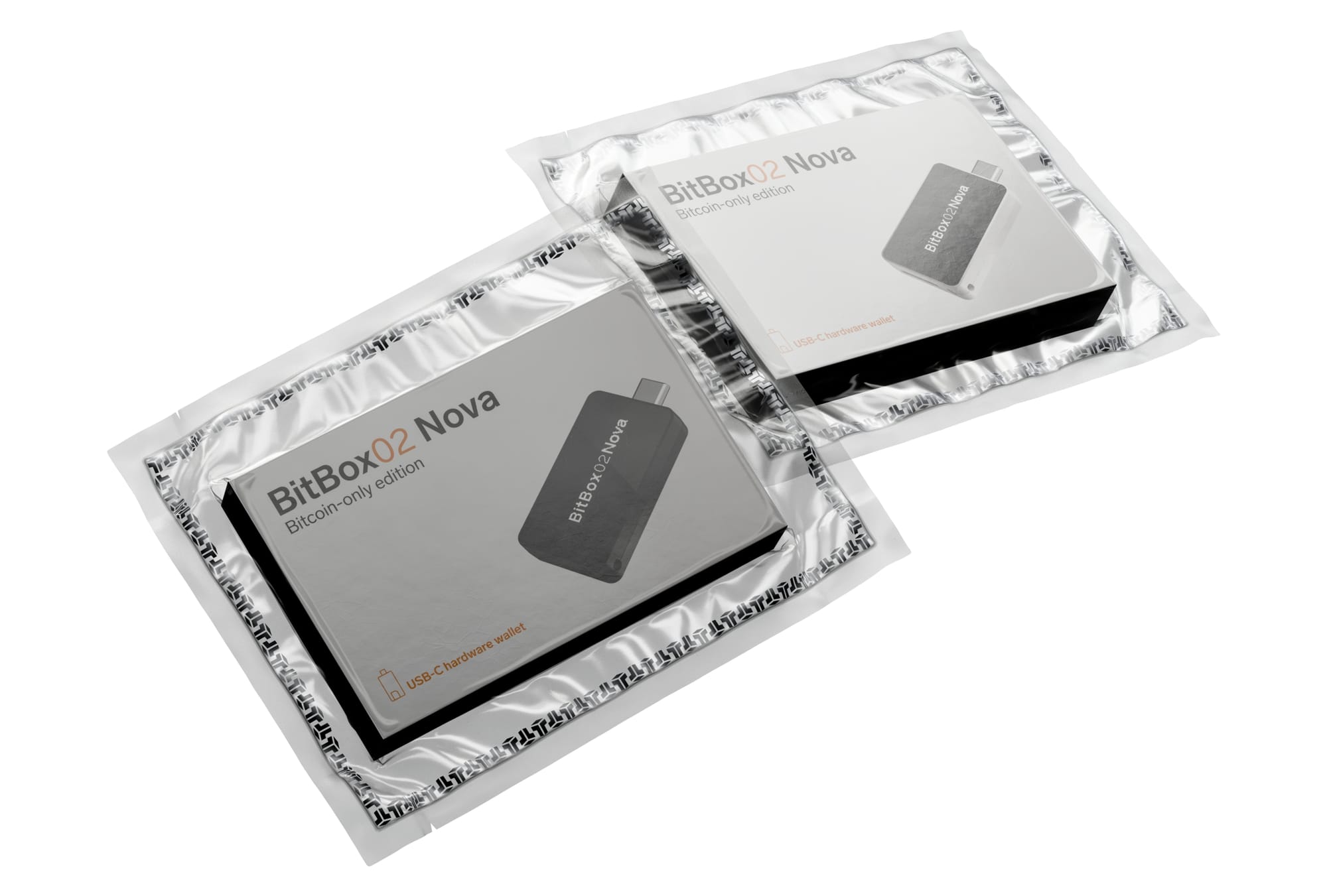
Opening the bag creates another task for an attacker: restoring the appearance of an unopened package. A cut, interrupted seal, or altered border can give the recipient a reason to stop before connecting the device.
Correctly reproducing the finished packaging requires professional vacuum-sealing equipment, as well as matching the bag and its printing. It is not simply a matter of placing the box inside another plastic sleeve and sealing an edge.
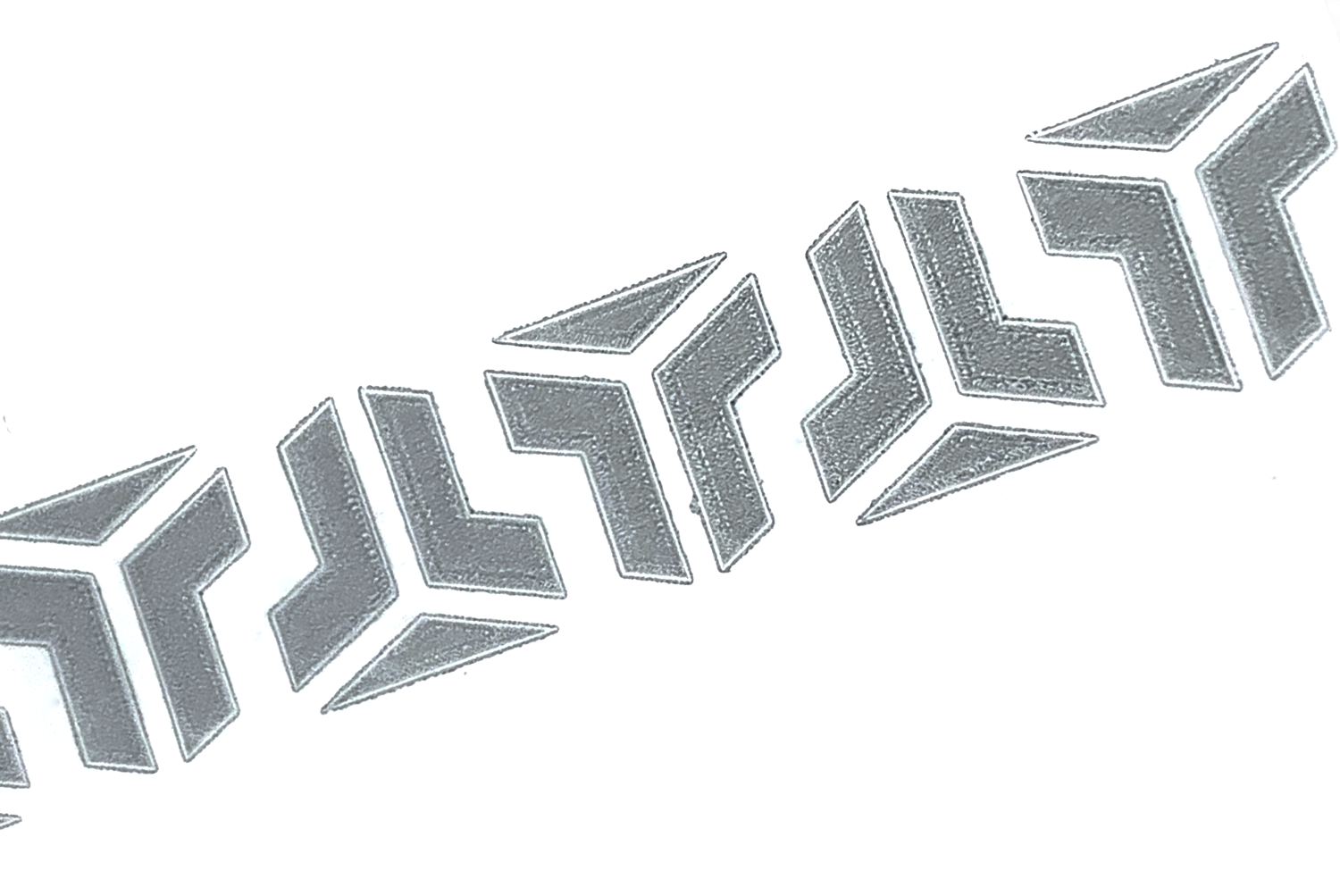
The equipment and materials for this are not impossible to obtain. Their purpose is to add effort and cost to the attack and make careless opening or repackaging easier to notice. The attacker must consider not only what is inside the package, but also whether its appearance will withstand inspection.
A casing that does not simply snap back together
The casing halves of the BitBox02 and BitBox02 Nova are permanently bonded using glue at connecting pins. Separating the halves breaks those pins, making it harder to reattach the original casing cleanly. The force required can also leave marks on the outside of the enclosure.
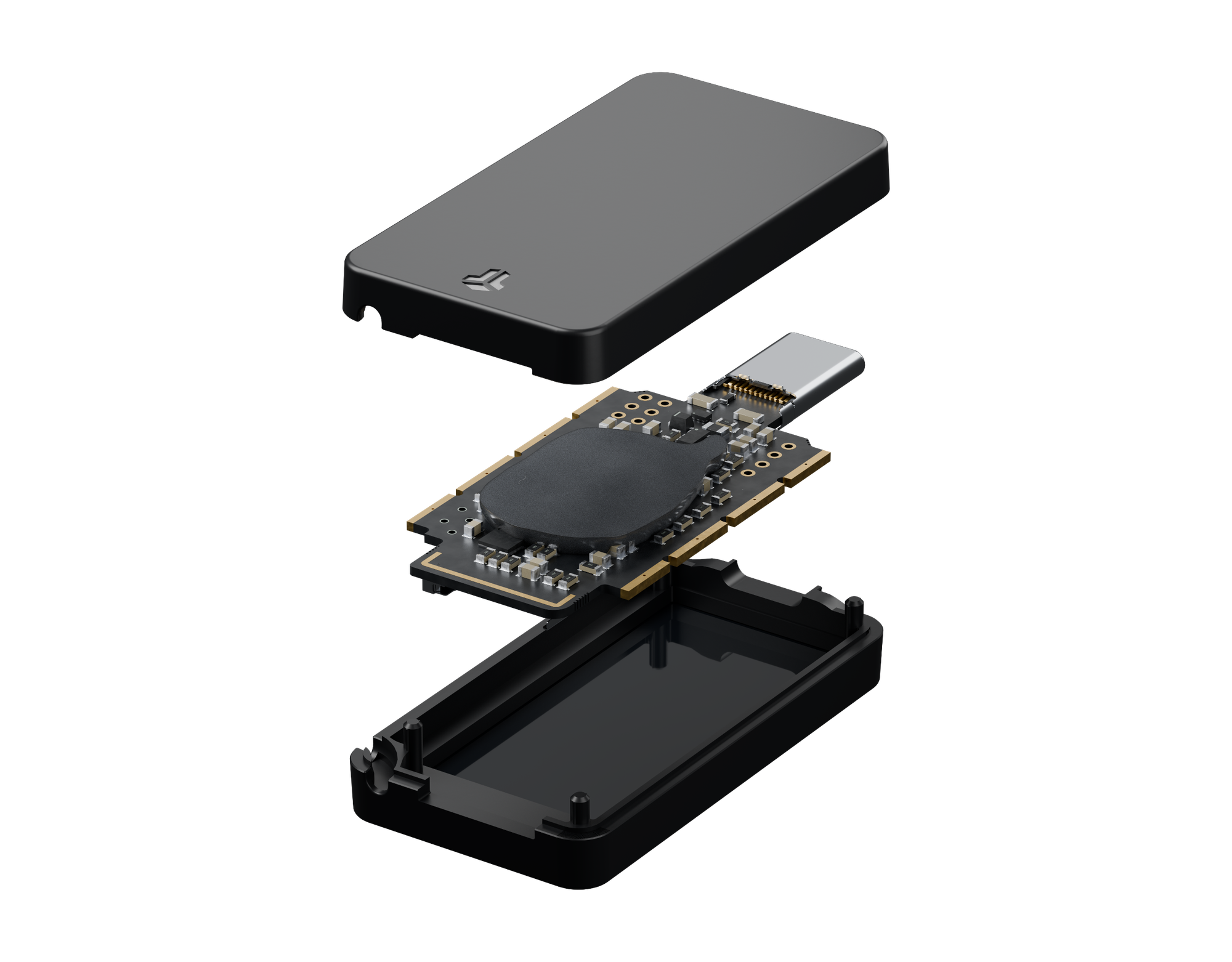
This matters because the attacker wants the recipient to accept the device as new. Accessing the electronics and restoring the enclosure’s appearance become separate tasks, rather than simply opening and closing a reusable cover.
The pins are not something users should inspect by opening their own device. Their role is to make an unnoticed modification more demanding.
To create an unsuspicious looking, tampered device, an attacker would likely need to invest in their own tooling for the injection molded plastic parts. These tools are very costly and require significant effort to perfect.
Epoxy around protected components
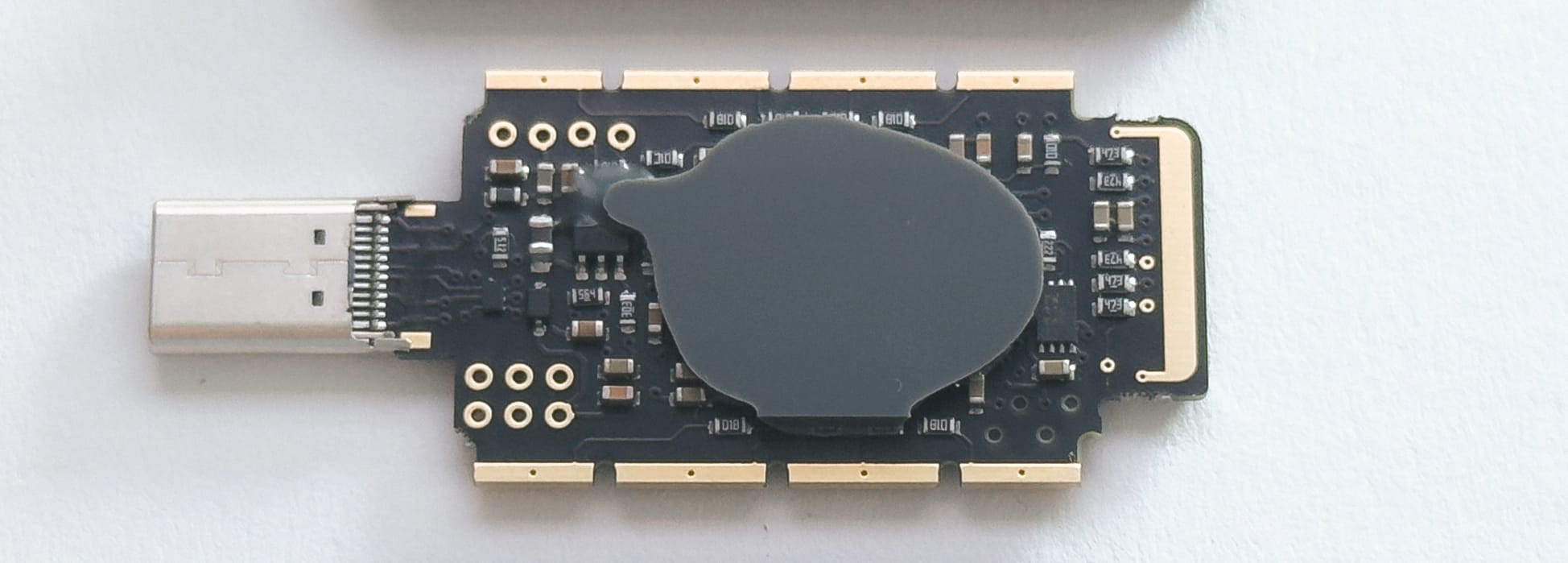
Inside the device, the microcontroller and secure chip are covered with security-grade epoxy. This makes accessing components more difficult and reduces the places of potential attachment points for invasive attacks. In addition, it also reduces usable space for extra components to be placed.
Security is a system
When it comes to security, the sum of the parts are greater than the whole. The individual measures come together to make unnoticed modifications more demanding. Some complicate access to components; others complicate reassembly or repackaging. Equipment may be reusable across many attempts, but handling, modification, and the risk of damage remain relevant to each device. This coupled with how the device was purchased, such as directly from the manufacturer, make it significantly harder for attackers to practically scale and perform attacks
Checks that complement the physical protections
Physical safeguards are complemented by checks on device identity and software.
Firmware authenticity
Each BitBox has a device-specific attestation key certified during factory setup. When the device connects, the BitBoxApp sends it a fresh challenge and verifies the signed response against that certification. This check happens automatically before unlocking. Copying the appearance of a BitBox does not provide the key needed to answer the challenge.
The bootloader, the small program responsible for installing and starting the main firmware, also checks the firmware signatures. New devices install their main firmware through the BitBoxApp during initial setup, and our release process requires signatures from multiple BitBox engineers.
Reproducible builds
Reproducible builds provide another form of verification. Independent reviewers can compile a release and compare the result with the distributed binary, checking that it corresponds to the published source. This does not prove that the code contains no vulnerabilities, but it makes independent scrutiny more meaningful.
These mechanisms address counterfeiting and software substitution. An additional component observing a genuine device may leave both its certified identity and its firmware unchanged. Successful software checks must therefore not override an unresolved concern about physical interference.
Advanced users can also follow our guides to checking the installed firmware’s hash and verifying a BitBoxApp download.
Authenticity checks help detect counterfeit devices. Physical integrity is a separate question. This does not make attestation less useful. It means that its result needs to be understood correctly and combined with the other safeguards.
When creating a new wallet, its secret is generated during your own setup, not supplied by a seller or prepared at the factory. Our article on entropy and wallet generation explains that process in detail. Keeping that secret private also matters when creating its backup.
What to check and when to stop
Before connecting a new device, inspect its inner bag using our illustrated packaging guide. Look for cuts, damaged seams, or signs of resealing. Some lost vacuum alone is acceptable when the bag and seals remain intact. When uncertain, leave the bag unopened and contact Support.
Use the official BitBoxApp and allow the authenticity check to complete. Stop if it produces a warning, cannot finish, or other concerns remain. Do not set up or restore a wallet, unlock a suspicious device, or transfer funds to it while those concerns are unresolved.
If you suspect that a device has been physically modified, stop using it immediately and disconnect it. This also applies when a wallet has already been created or restored on it. Contact BitBox Support through an independently opened official channel and explain what raised your concern. We first assess the information available and investigate whether there is reasonable suspicion of tampering. Depending on the findings, the next steps may include asking for the device to be sent in for inspection and arranging a replacement where warranted. These decisions are made case by case.
When contacting Support, useful information includes the purchase details, photographs of the packaging or visible damage, any warning messages, and whether the device has already been used. Never include recovery words, a microSD backup, passwords, or passphrases. A concern about a device does not automatically mean its wallet secret has been exposed. But replacing the hardware and protecting an exposed wallet are separate tasks. Restoring the same backup onto a different device does not make that secret private again.
If exposure is established or reasonably suspected, funds need to be secured in a newly created wallet using trusted hardware and software. Resetting the suspected device or reinstalling its firmware is not a remedy for added electronics. Any inspection or replacement should therefore be coordinated with the steps needed to protect the wallet, not treated as a substitute for them.
Verify the help you receive
Physical modification and phishing are different attacks. However, a message about a supposed security problem can persuade someone to disclose the very information they are trying to protect.
For unexpected contact, open the official support website independently. Do not use a message’s links, QR codes, phone numbers, or supposed support references to verify the message itself. A familiar sender name or convincing design does not authorize a request for wallet secrets.
BitBox Support will never ask for your recovery words or a wallet backup, or direct you to transfer funds to a supposedly protected wallet supplied by someone else. Our guide to checking whether a BitBox contact is genuine explains how to verify communications through a new, independently initiated inquiry.
Asking for help should not require giving up control of the wallet.
Different safeguards, different jobs
No one should have to reverse-engineer a hardware wallet before getting started with self-custody.
Our responsibility is to make interference harder, provide useful ways to verify the device and its software, and explain the limits of those checks.
The goal is not to replace trust in a package with blind trust in a green checkmark. It is to provide a process in which manufacturing, physical protection, verification, and support work together.
When something remains unexplained, stop before putting a wallet secret or funds at risk, and contact BitBox Support.
Don’t own a BitBox yet?
Keeping your crypto secure doesn't have to be hard. The BitBox hardware wallets store the private keys for your cryptocurrencies offline. So you can manage your coins safely.
Both the BitBox02 Nova and the BitBox02 also come in a Bitcoin-only edition, featuring a radically focused firmware: less code means less attack surface, which further improves your security when only storing bitcoin.
Buy the BitBox02 Nova or grab a BitBox02 in our shop!
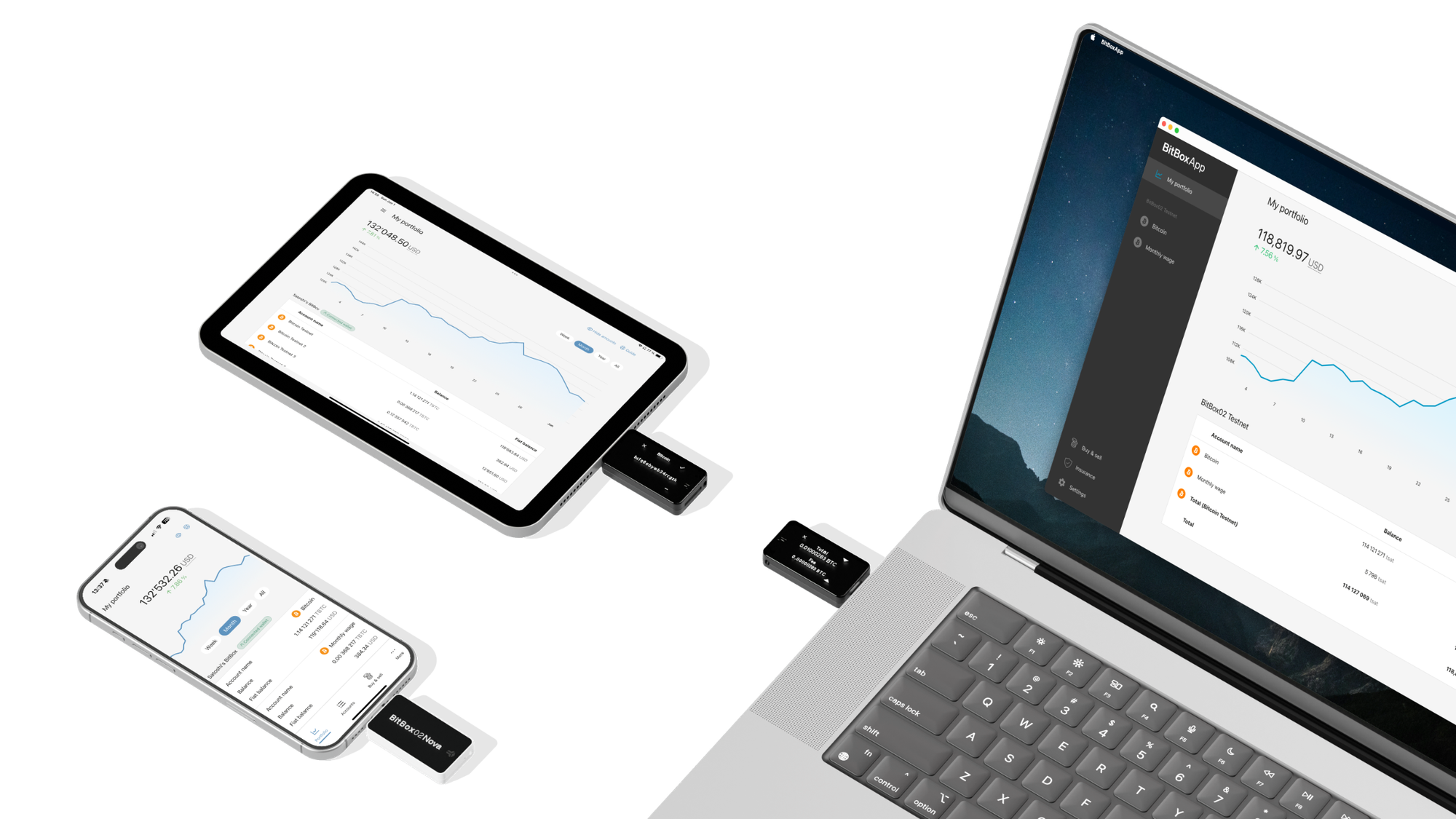
Shift Crypto is a privately-held company based in Zurich, Switzerland. Our team of Bitcoin contributors, crypto experts, and security engineers builds products that enable customers to enjoy a stress-free journey from novice to mastery level of cryptocurrency management. The BitBox02, our second generation hardware wallet, lets users store, protect, and transact Bitcoin and other cryptocurrencies with ease — along with its software companion, the BitBoxApp!