

Get the latest BitBoxApp here: bitbox.swiss/download
This release includes a security update for the BitBox02 Nova firmware, as well as other improvements.
Security first
Our open-source code and bug bounty program encourage independent reviews and security assessments of the BitBox hardware wallets. This also includes transparent reports after a security issue has been identified and fixed. Security always takes priority at BitBox, and this release is a great example for that.
TL;DR: Two security issues in the firmware of the BitBox02 Nova, of minor and moderate severity, have been fixed in this release. It is unlikely you are affected by them, as a successful exploit would require an advanced attacker with physical device access and high technical capabilities. Even then, it only applies in a very specific usage scenario of the BitBox02 Nova, where the same device password is reused on multiple devices. All other users are unaffected. In any case, we recommend updating to the latest version of the BitBoxApp and firmware.
Let’s explore the technical details of this security announcement and how users may be affected.
What happened?
Andrew Kozlik, Head of Research and Development at Trezor, responsibly disclosed two vulnerabilities through our bug bounty program on October 26th, 2025 in the BitBox02 Nova firmware, specifically in the configuration of the Infineon OPTIGA™ secure chip it uses.
Both vulnerabilities require physical access to the device, including read access to certain parts of the main MCU flash memory as well as the ability to directly communicate with the secure chip, making it a very advanced attack scenario. Achieving this level of access to the device is hard to pull off in itself, and it’s likely the device would be destroyed in the process.
The two issues can be summarized as follows:
- The first issue may enable an attacker (under the assumptions mentioned above) to access a specific configuration slot on the secure chip and read its content. Because this slot was explicitly configured as not readable, we consider it a bug of the secure chip itself. However, the BitBox02 Nova uses multiple such configuration slots for redundancy purposes as part of our security in depth approach, rendering the vulnerability not exploitable and thus of no impact.
- The second issue can enable an attacker to obtain the device password by brute-forcing it and bypassing the usual maximum limit of 10 unlock attempts. This is possible by partially resetting certain data objects on the secure chip. However, in doing so, the decryption key to access the seed stored on the device will be erased, keeping the seed safe, and rendering the obtained device password useless, as long as it is not reused on other devices.
The Marmorera update released today fixes both of these vulnerabilities and we encourage all users to update to the latest BitBoxApp version and BitBox firmware. We have no reports of lost funds and have found no evidence that the vulnerability was exploited.
We would also like to thank Andrew Kozlik for sharing his findings and knowledge with us, and helping to improve the security of the BitBox! He will be rewarded with the respective bounty.
Am I affected?
The vulnerability only has an effect in a specific usage scenario of the BitBox02 Nova and requires advanced physical access and technical knowledge.
- If an attacker steals your BitBox02 Nova and performs an advanced physical attack, they may be able to guess its device password. While the decryption key to access the seed on the attacked device will be erased in that process, keeping the seed of that device safe, the obtained device password could then be used on a second device to unlock it, if that device also uses the same device password.
- If you only use a single BitBox02 Nova, and/or use multiple hardware wallets with unique device passwords, you are not affected. As described before, this is due to the decryption key for the seed getting erased in the process of attempting to obtain the device password.
- The original BitBox02 is not affected by this vulnerability in any way, as it uses a different secure chip.
The defense mechanisms of the BitBox02 Nova and its dual-chip architecture helped to prevent the two vulnerabilities from having a severe impact. Not placing trust in the secure chip and its security assumptions proved especially valuable in this case, as neither accessing the configuration slot on the secure chip nor obtaining the device password led to the seed of the device getting compromised.
Also note that in any case, if a strong device password had been used, the vulnerability could also not have been exploited, as a brute-force attack on the device password would have simply not been possible.
Given the advanced physical access required, as well as the very specific usage scenario for an attacker to obtain a device password to be able to access user funds, the overall impact of the vulnerability can be considered minor to moderate.
What should I do to stay safe?
Be sure to update to the latest version of the BitBoxApp and install the latest firmware version on your devices. You can download the latest app version here: bitbox.swiss/download.
The new version of the BitBoxApp has the latest firmware version 9.25.0 bundled inside. You can upgrade the firmware by navigating to Settings > Manage device > Firmware. After upgrading, unlock the device once and check that firmware version 9.25.0 is displayed in Device information.
As always, please be extra mindful of potential phishing scam attempts that may use security announcements like this one to inflict fear and uncertainty. BitBox will never ask for your recovery words and you should never enter them anywhere other than directly on your BitBox.
Change device password
With the Marmorera update, you can now change the device password of your BitBox more conveniently by navigating to Settings > Manage device in the BitBoxApp. From there, simply choose and confirm the new device password on the BitBox. Done!
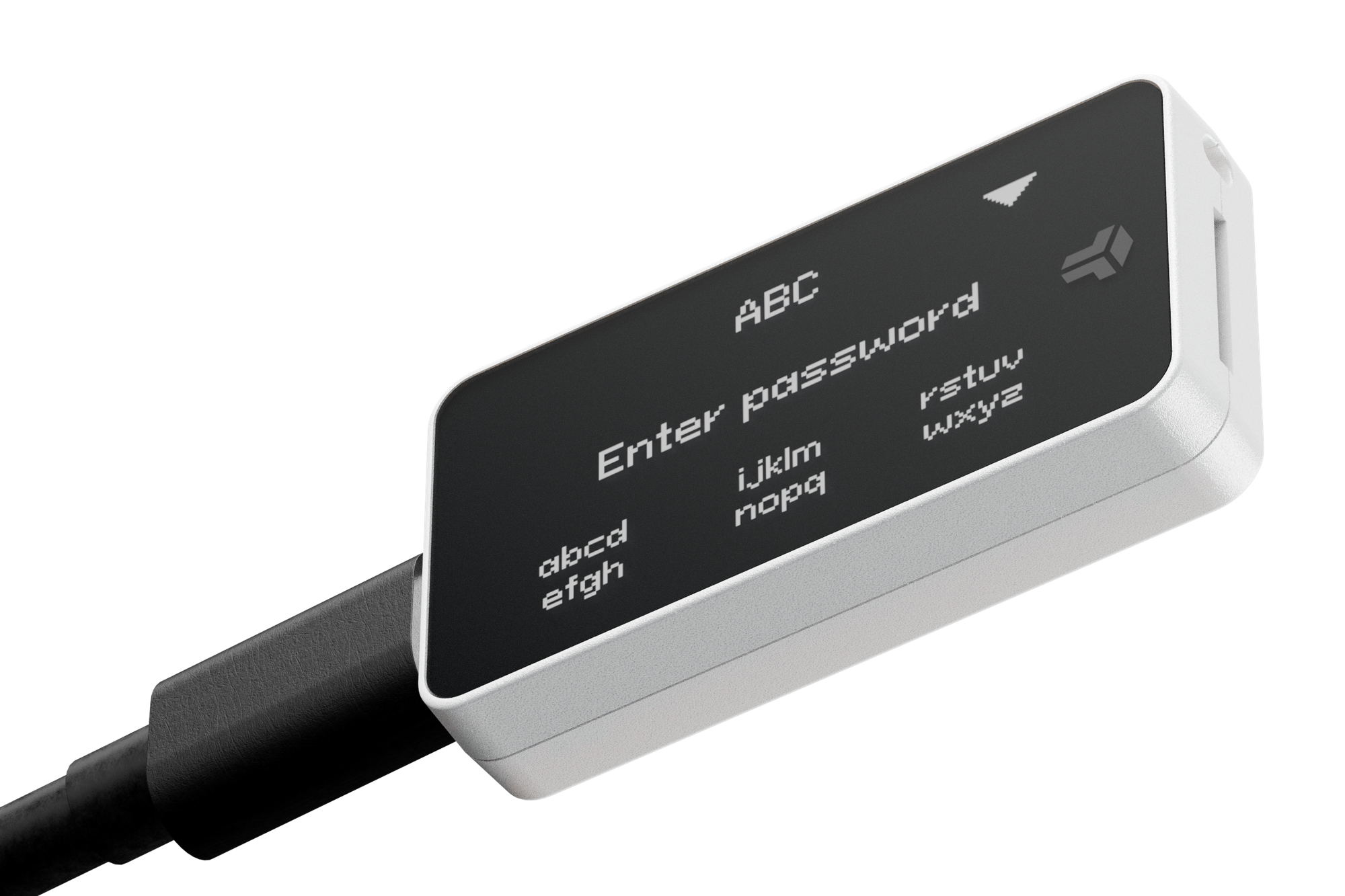
Previously, the only way to change the device password was by doing a factory reset and restoring from a wallet backup. Now, the click of a button makes this process quick and simple, especially when managing multiple devices.
Note the device password is a device setting and not related to your wallet backup. This means that if you use multiple BitBox devices, changing the device password on one does not change it on other devices and you do not need to create a new wallet backup.
Send to own account
If you ever need to send a Bitcoin transaction to yourself, either to move coins to a different account, or to consolidate your UTXO, you can now quickly select the desired account by selecting it from a new drop-down menu in the Send screen. The BitBoxApp will automatically use the next unused receive address of the selected account for the transaction.
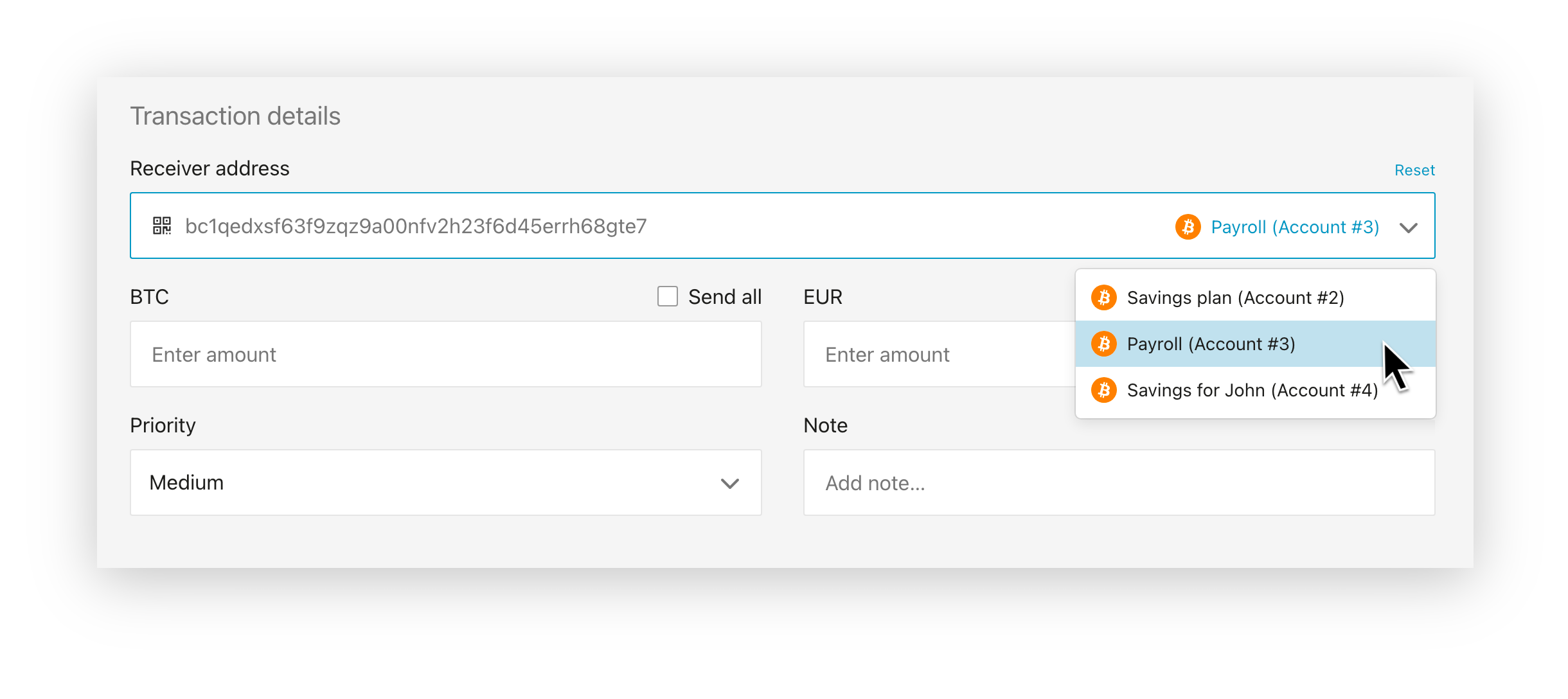
This replaces the need to manually create and copy your own receive addresses – since the BitBoxApp can figure this out all by itself. Make sure to still verify the receive address directly on your BitBox, where you will also see a note displayed such as “This BitBox (account #1)” in front of addresses that belong to your own wallet.
Miscellaneous improvements
This release also comes with other smaller improvements and bug fixes:
- The transaction details have been modernized with a new user interface.
- MicroSD card backups are now sorted from newest to oldest for better overview.
- If there are less than 10 unlock attempts remaining, the BitBox will now display the amount of attempts remaining before entering the device password.
- You can now give feedback through a new form, which is linked in the app guide and in the About section in settings.
- The Manage device setting page has been restructured.
- The font size now adheres to the system setting on Android, allowing to increase the font size while maintaining readability.
- Currently active currencies have been moved to the top
- Fixed connectivity issues on Android when switching between WiFi and cellular connections on Android.
- Fixed an issue where language settings would sometimes not persist when restarting the app.
- Dropped support for Android version 6 or lower.
How can I stay up to date?
To get notified of security updates like these, new features and improvements, as well as other Bitcoin related topics, you can subscribe to the BitBox News.
As always, please do not hesitate to contact our support team if you have any questions.
Thank you for your continued support,
The BitBox team
FAQs
Does the vulnerability also apply to optional passphrases?
No, optional passphrases are not stored on the BitBox device and therefore cannot be extracted. In the unlikely event of a successful exploit of the vulnerability described above, using a secure optional passphrase would have still prevented an attacker from accessing the passphrase protected wallet.
What is a brute-force attack?
Brute-forcing a password simply means to take a guess over and over again, until you have found one that works. The BitBox generally prevents such brute-force attempts on the device password by enforcing a limit through a hardware counter on the secure chip.
Would a secure device password have added security?
In this specific scenario, yes, because an attacker would have still had to brute-force the device password. As such, a more complex device password would have prevented an exploit as well.
Don’t own a BitBox yet?
Keeping your crypto secure doesn't have to be hard. The BitBox hardware wallets store the private keys for your cryptocurrencies offline. So you can manage your coins safely.
Both the BitBox02 Nova and the BitBox02 also come in a Bitcoin-only edition, featuring a radically focused firmware: less code means less attack surface, which further improves your security when only storing bitcoin.
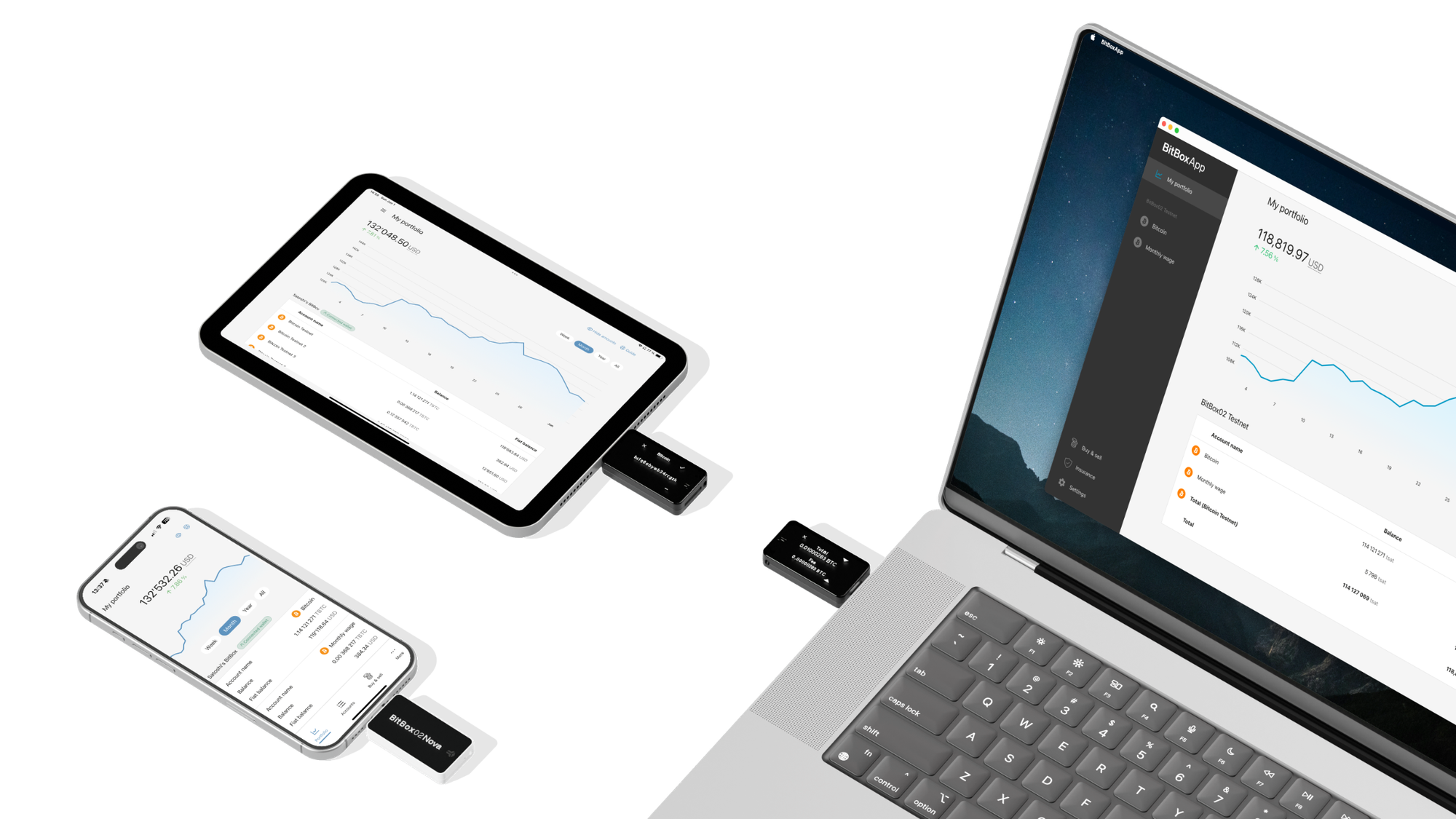
Image credit: ETH-Bibliothek Zürich, Swissair Photo AG, CC BY-SA 4.0